Android Programming

控件和布局
1.TextView
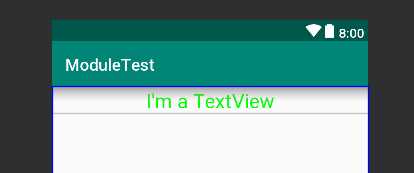
<?xml version="1.0" encoding="utf-8"?>
<LinearLayout xmlns:android="http://schemas.android.com/apk/res/android"
    android:orientation="vertical"
    android:layout_width="match_parent"
    android:layout_height="match_parent">

    <TextView android:id="@+id/text_view" android:layout_width="match_parent" android:layout_height="wrap_content" android:text="I‘m a TextView" android:gravity="center" android:textSize="24sp" android:textColor="#00ff00" />
    <!-- 字体大小以sp为单位 -->

</LinearLayout>
2. Button
<?xml version="1.0" encoding="utf-8"?>
<LinearLayout xmlns:android="http://schemas.android.com/apk/res/android"
    android:orientation="vertical"
    android:layout_width="match_parent"
    android:layout_height="match_parent">

    <Button android:id="@+id/button" android:layout_width="match_parent" android:layout_height="wrap_content" android:text="I‘m a Button"
        />

</LinearLayout>
运行结果:
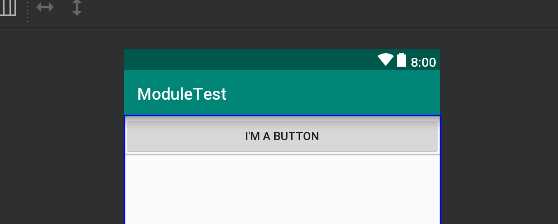
图中界面按钮显示的文字为text属性内内容的大写形式。通过设置textAllCaps属性,可以让界面按钮显示的文字和实际设置的text内容相同
<Button
        android:id="@+id/button"
        android:layout_width="match_parent"
        android:layout_height="wrap_content"
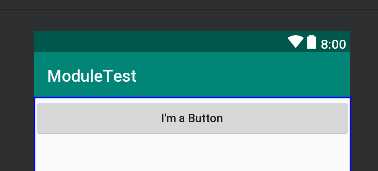
        android:text="I‘m a Button" android:textAllCaps="false"
        />
运行结果:
2.1 注册按钮监听器
按钮监听器有两种注册方式,一种是使用匿名类注册:
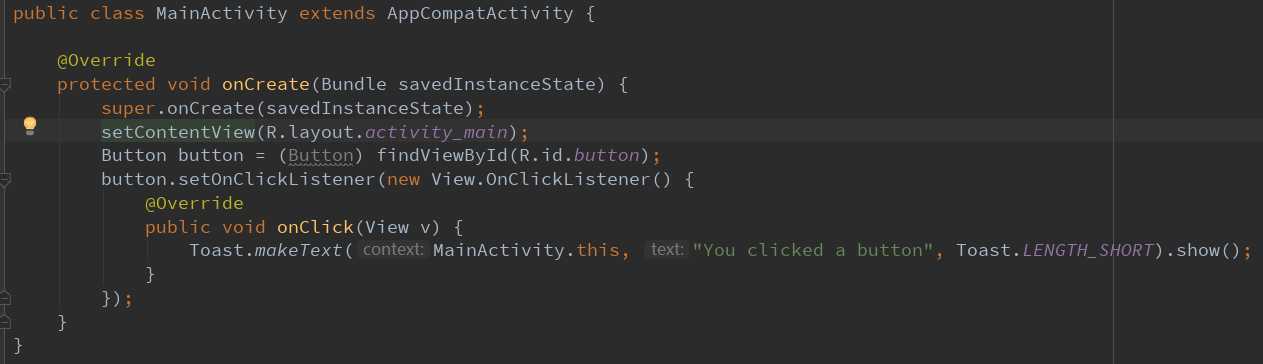
按下按钮,出现一个Toast
运行结果:
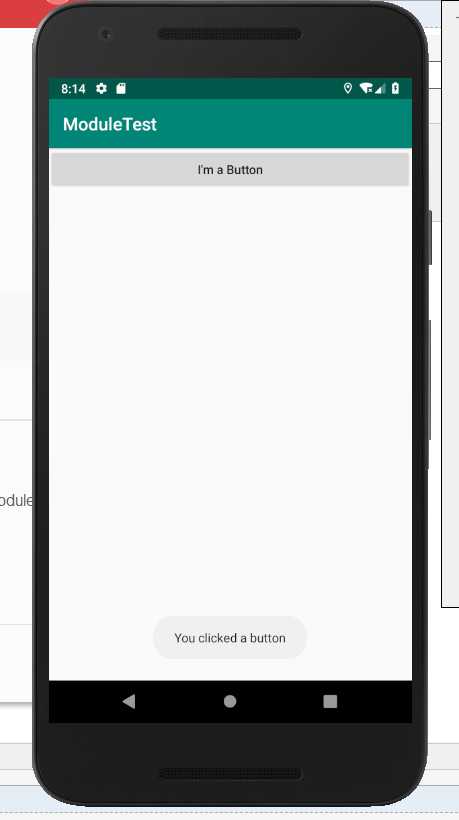
另一种则是通过实现接口的方法来注册:
public class MainActivity extends AppCompatActivity implements View.OnClickListener {

    @Override
    protected void onCreate(Bundle savedInstanceState) {
        super.onCreate(savedInstanceState);
        setContentView(R.layout.activity_main);
        Button button = (Button) findViewById(R.id.button);
        button.setOnClickListener(this);
    }

    @Override public void onClick(View v){ switch(v.getId()) { case R.id.button: // 在此处添加逻辑
                break; default: break; } }
}




最新文章
-

QQ美颜相机拍照技巧
2026-10-25 -
QQ滤镜一键美化功能
2026-10-25 -
QQ直播观看小技巧
2026-10-25 -
QQ直播送礼互动玩法
2026-10-25 -
QQ直播弹幕设置方法,分场景操作指南一文讲清
2026-10-25 -
QQ日历行程管理技巧
2026-10-25 -
QQ语音速记功能使用
2026-10-25 -
QQ拍照翻译功能使用
2026-10-25
热门文章
-

ios微信分享的兼容性问题
2026-07-04 -

微信小程序 - 事件绑定bind和catch 区别
2026-07-04 -

7-STM32物联网开发WIFI(ESP8266)+GPRS(Air202)系统方案微信小程序篇(微信配网_申请微信公众号)
2026-07-04 -

微信浏览器中禁止app下载链接的两种处理方法
2026-07-04 -

【php】PHP制作QQ微信支付宝三合一收款码
2026-07-04 -

从微信中跳到外部浏览器
2026-07-04 -
SQL SERVER 还原误操作导致还原无法停止,处理办法
2026-08-27 -

10-STM32物联网开发WIFI(ESP8266)+GPRS(Air202)系统方案微信小程序篇(微信配网配置_Airkiss步骤_1)
2026-07-04