
目录
一、自定义模版
1.创建模版
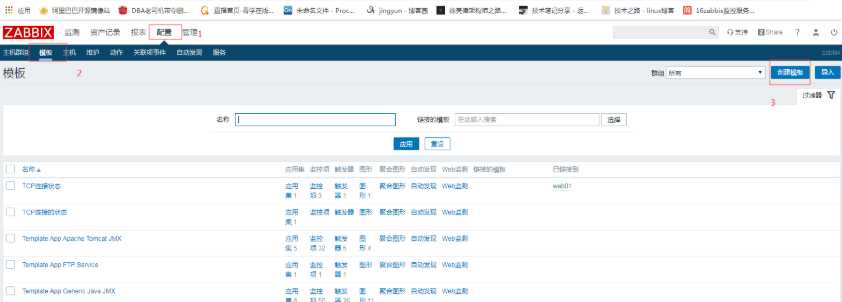
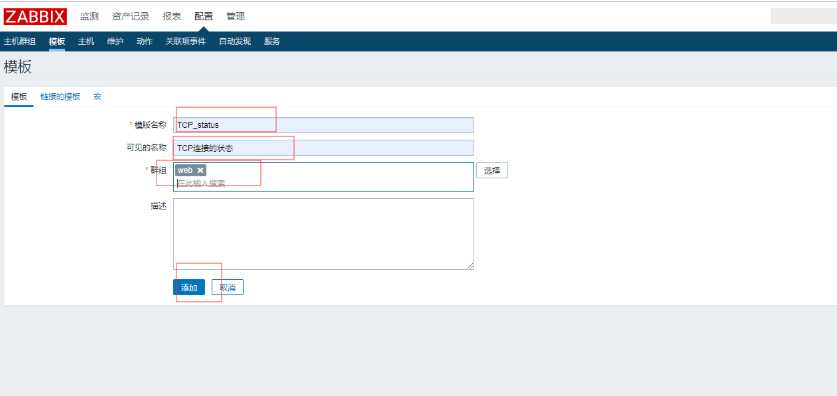


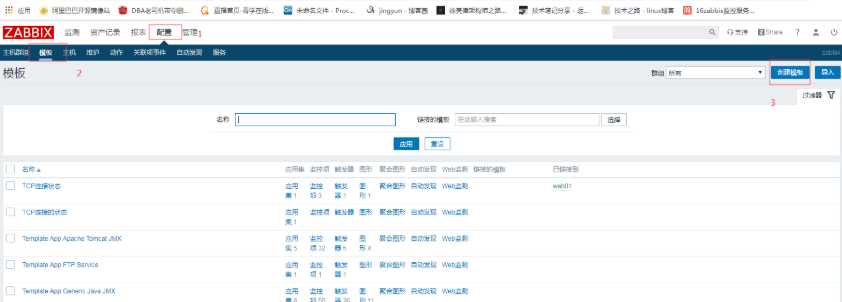
1.1克隆出三台
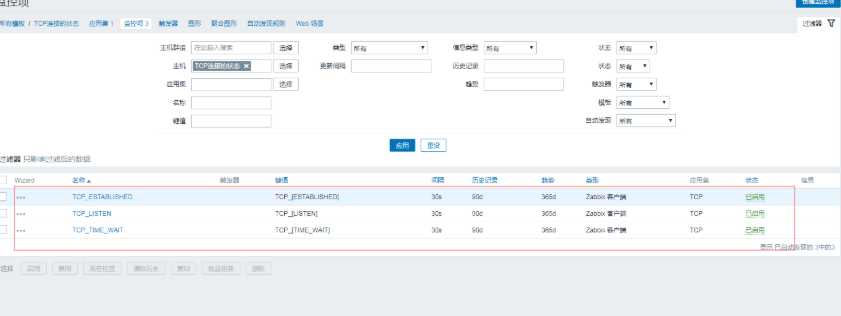
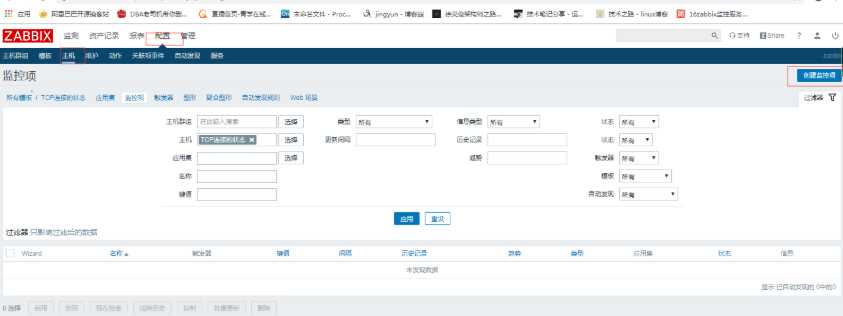
1.2直接创建好触发器

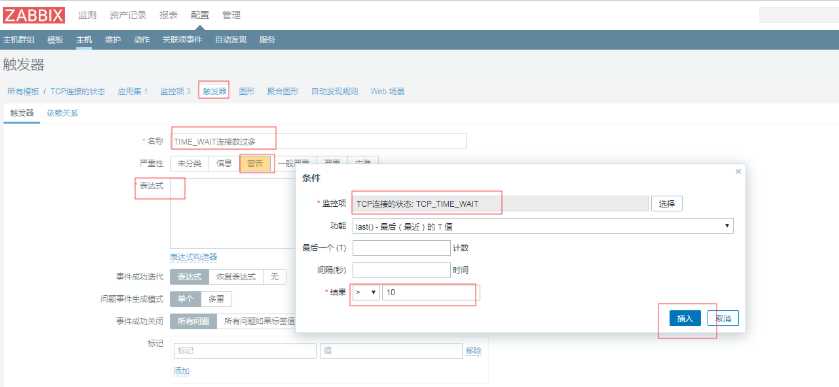
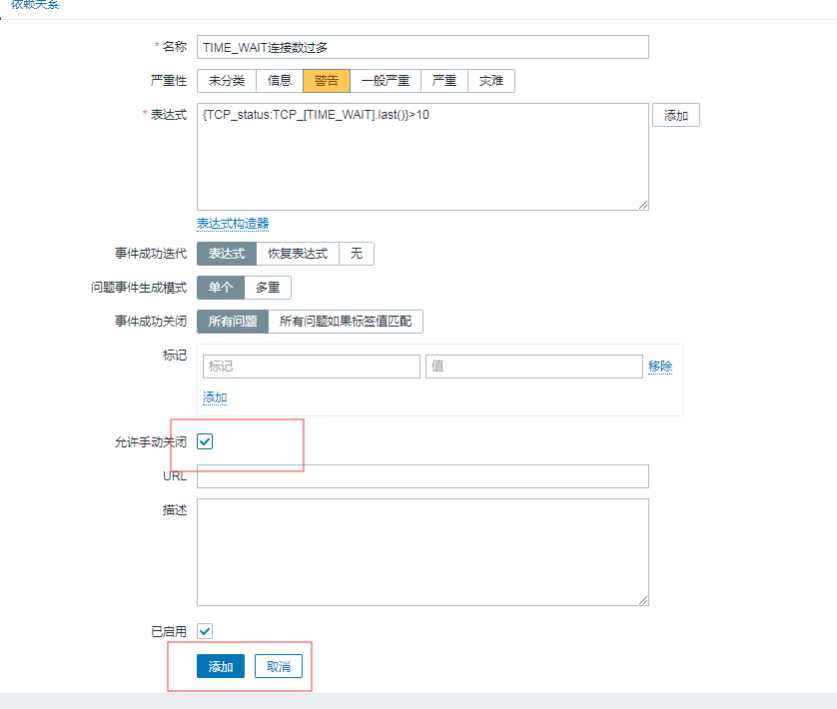
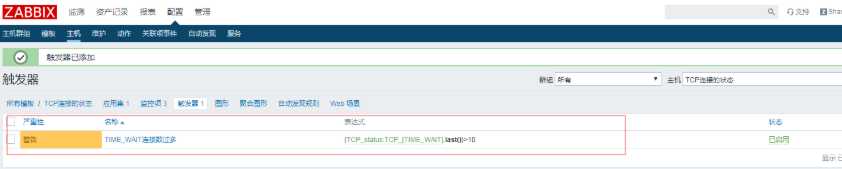
1.3创建图形
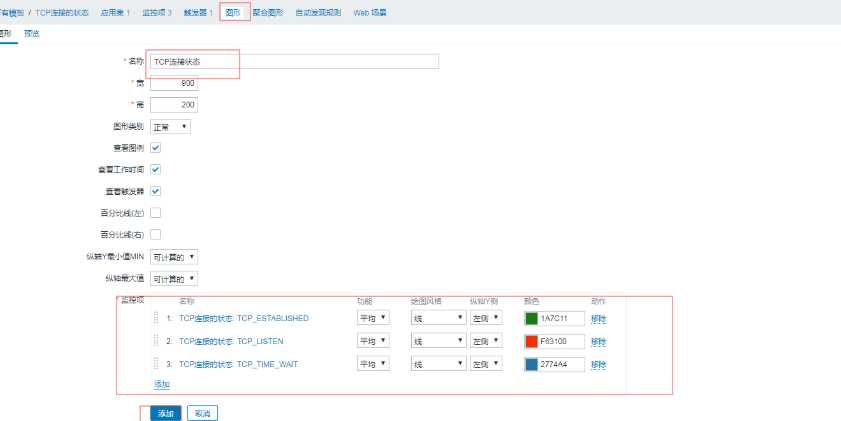
模版创建好,再次创建主机就可直接选择用
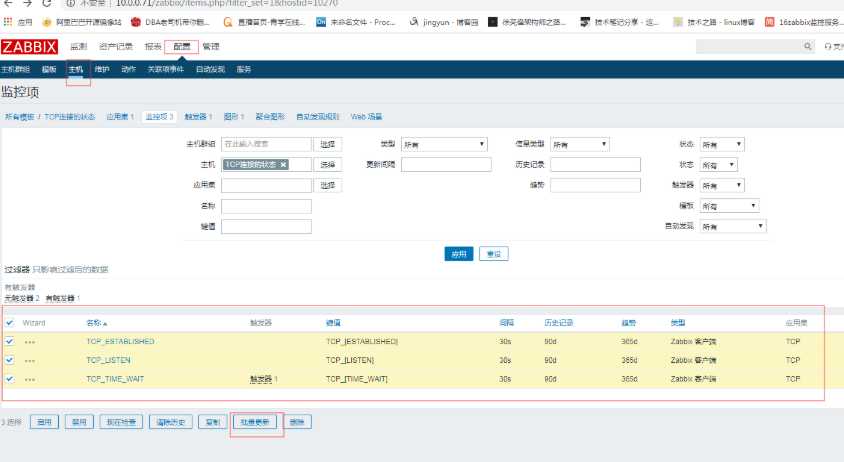
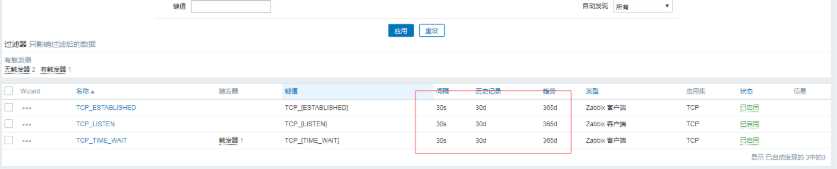
修改模版,可全部生效
例如:把时间修改成30天

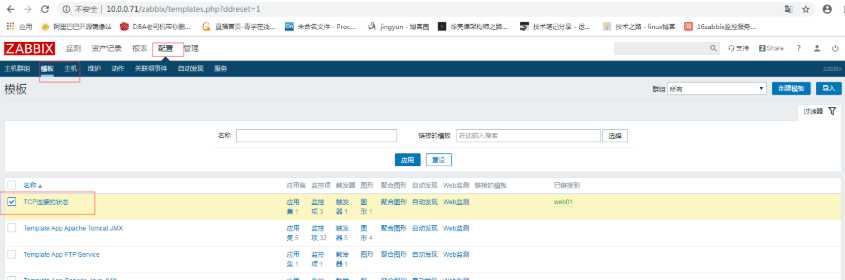
2.导出模版

3.监控TCP11种状态
编写zabbix配置文件
[root@web01 /etc/zabbix/zabbix_agentd.d]# cat zbx_tcp.conf
UserParameter=ESTABLISHED,netstat -ant|grep  -c 'ESTABLISHED'
UserParameter=SYN_SENT,netstat -ant|grep  -c 'SYN_SENT'
UserParameter=SYN_RECV,netstat -ant|grep  -c 'SYN_RECV'
UserParameter=FIN_WAIT1,netstat -ant|grep  -c 'FIN_WAIT1'
UserParameter=FIN_WAIT2,netstat -ant|grep  -c 'FIN_WAIT2'
UserParameter=TIME_WAIT,netstat -ant|grep  -c 'TIME_WAIT'
UserParameter=CLOSE,netstat -ant|grep  -c 'CLOSE'
UserParameter=CLOSE_WAIT,netstat -ant|grep  -c 'CLOSE_WAIT'
UserParameter=LAST_ACK,netstat -ant|grep  -c 'LAST_ACK'
UserParameter=LISTEN,netstat -ant|grep  -c 'LISTEN'
UserParameter=CLOSING,netstat -ant|grep  -c 'CLOSING'
3.2.重启zabbix-agent
[root@web01 ~]# systemctl restart zabbix-agent.service 3.3.测试监控项
使用zabbix-get命令测试
[root@m01 ~]# yum install zabbix-get.x86_64 -y
[root@m01 ~]# zabbix_get -s 10.0.1.7 -k ESTABLISHED
2
[root@m01 ~]# zabbix_get -s 10.0.1.7 -k LISTEN
12
4.导入模版文件
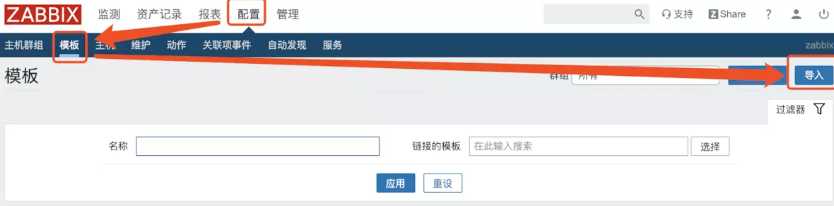
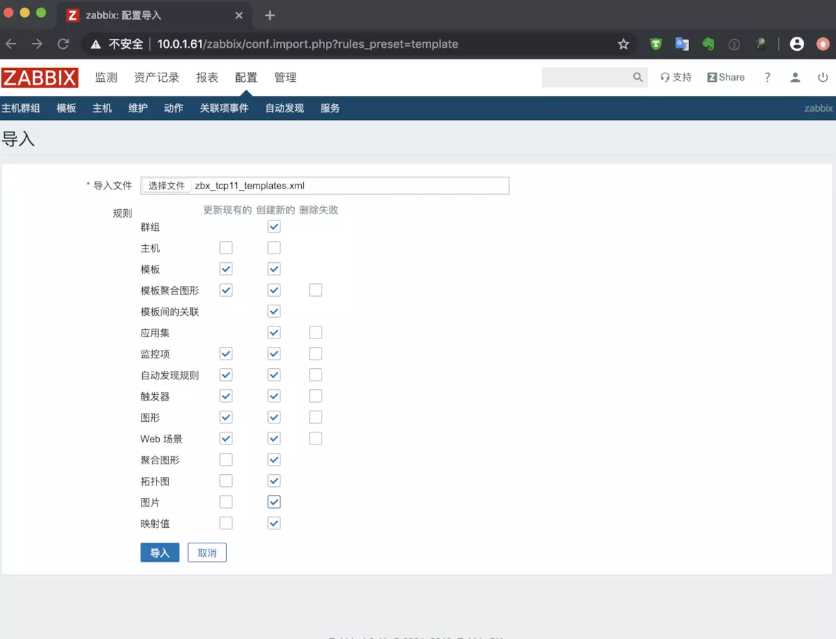
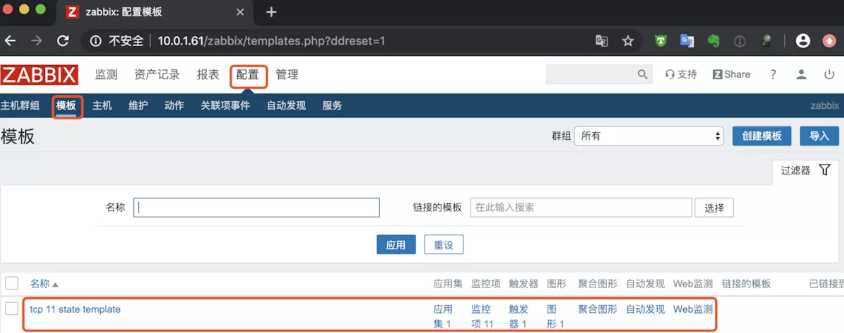
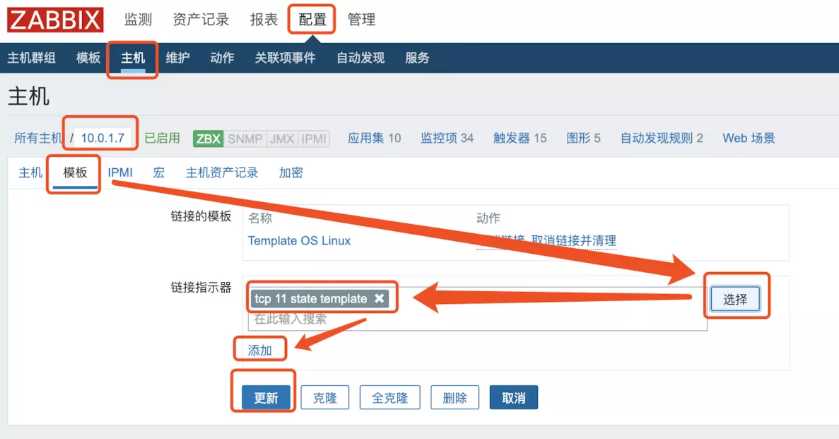
5.主机关联模版文件
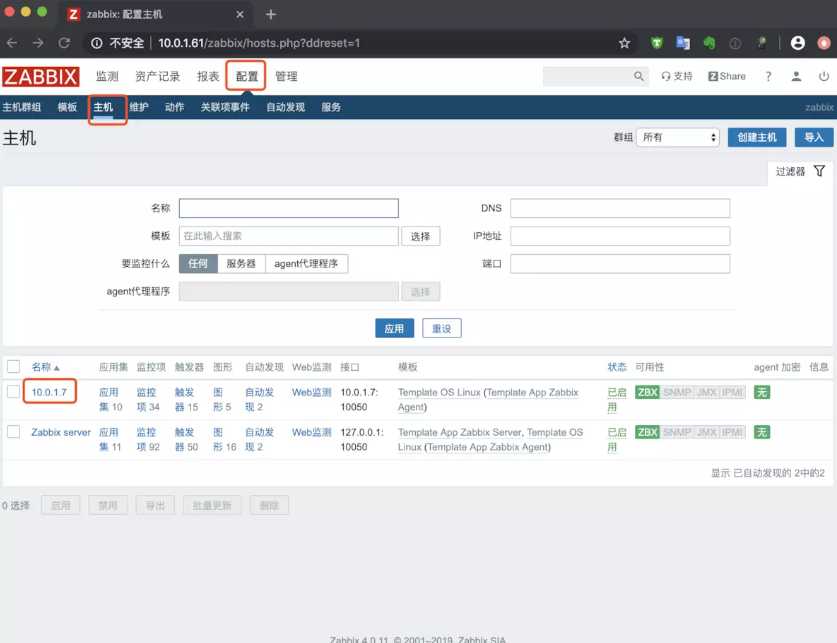
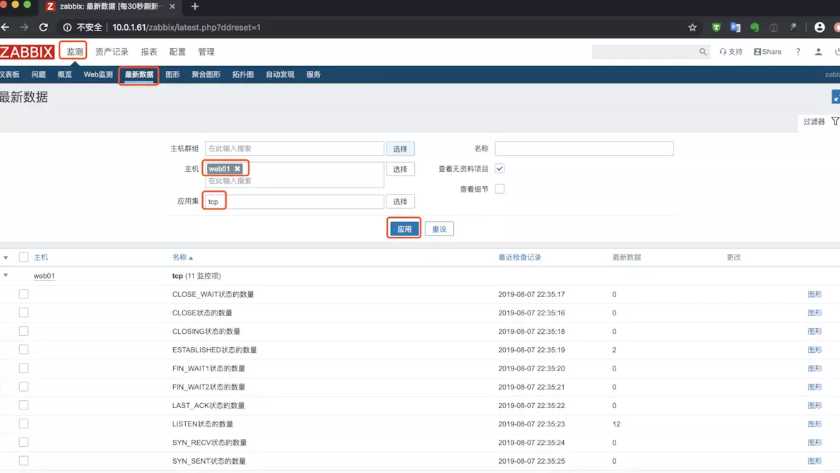
6.查看最新数据
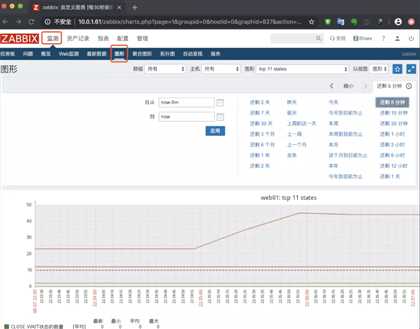
7.查看图形
二、自定义模版监控nginx状态
1.开启监控页面并访问测试
[root@web01 ~]# cat /etc/nginx/conf.d/status.conf
server {
   listen 80;
   server_name localhost;
   location /nginx_status {
       stub_status on;
       access_log off;
   }
}

[root@web01 ~]# curl 127.0.0.1/nginx_status/
Active connections: 1
server accepts handled requests
 6 6 6
Reading: 0 Writing: 1 Waiting: 0
2.准备nginx监控状态脚本
[root@web01 /etc/zabbix/zabbix_agentd.d]# cat nginx_monitor.sh
#!/bin/bash
NGINX_COMMAND=$1
CACHEFILE="/tmp/nginx_status.txt"
CMD="/usr/bin/curl http://127.0.0.1/nginx_status/"
if [ ! -f $CACHEFILE  ];then
   $CMD >$CACHEFILE 2>/dev/null
fi
# Check and run the script
TIMEFLM=`stat -c %Y $CACHEFILE`
TIMENOW=`date +%s`

if [ `expr $TIMENOW - $TIMEFLM` -gt 60 ]; then
    rm -f $CACHEFILE
fi
if [ ! -f $CACHEFILE  ];then
   $CMD >$CACHEFILE 2>/dev/null
fi

nginx_active(){
         grep 'Active' $CACHEFILE| awk '{print $NF}'
         exit 0;
}
nginx_reading(){
         grep 'Reading' $CACHEFILE| awk '{print $2}'
         exit 0;
}
nginx_writing(){
         grep 'Writing' $CACHEFILE | awk '{print $4}'
         exit 0;
}
nginx_waiting(){
         grep 'Waiting' $CACHEFILE| awk '{print $6}'
         exit 0;
}
nginx_accepts(){
         awk NR==3 $CACHEFILE| awk '{print $1}'
         exit 0;
}
nginx_handled(){
         awk NR==3 $CACHEFILE| awk '{print $2}'
         exit 0;
}
nginx_requests(){
         awk NR==3 $CACHEFILE| awk '{print $3}'
         exit 0;
}

case $NGINX_COMMAND in
    active)
        nginx_active;
        ;;
    reading)
        nginx_reading;
        ;;
    writing)
        nginx_writing;
        ;;
    waiting)
        nginx_waiting;
        ;;
    accepts)
        nginx_accepts;
        ;;
    handled)
        nginx_handled;
        ;;
    requests)
        nginx_requests;
        ;;
    *)
echo 'Invalid credentials';
exit 2;
esac
3.编写zabbix监控配置文件
[root@web01 ~]# cat /etc/zabbix/zabbix_agentd.d/nginx_status.conf
UserParameter=nginx_status[*],/bin/bash /etc/zabbix/zabbix_agentd.d/nginx_monitor.sh $1

[root@web01 ~]# systemctl restart zabbix-agent.service
4.使用zabbix_get取值
[root@m01 ~]# zabbix_get -s 10.0.1.7 -k nginx_status[accepts]
7
5.导入模版
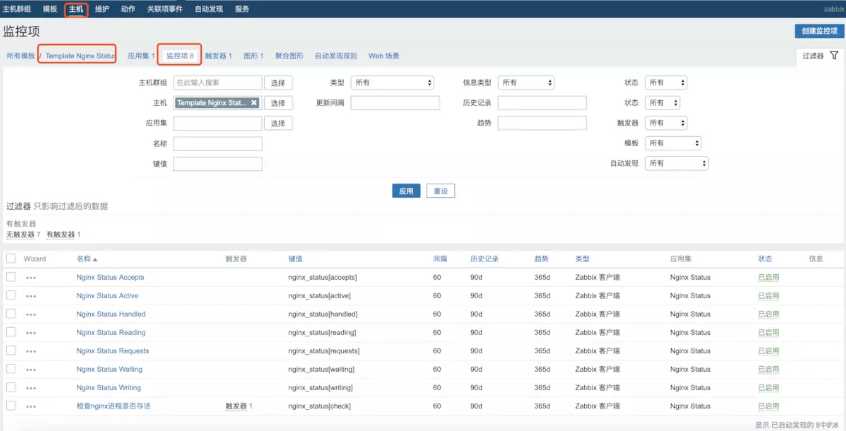
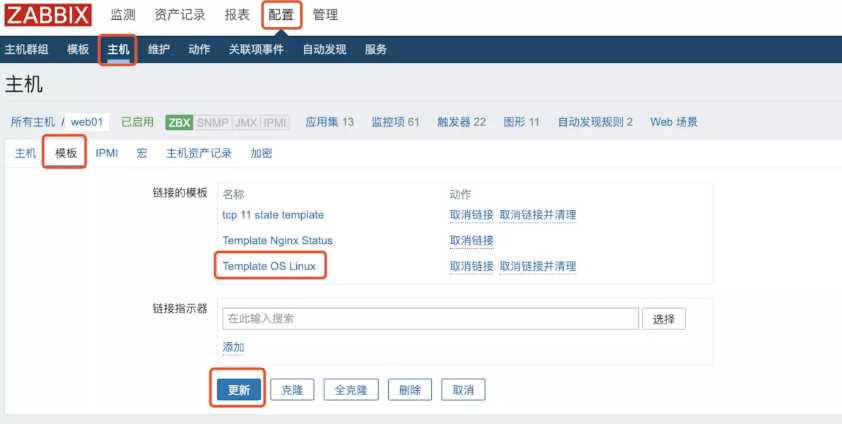
6.链接模版
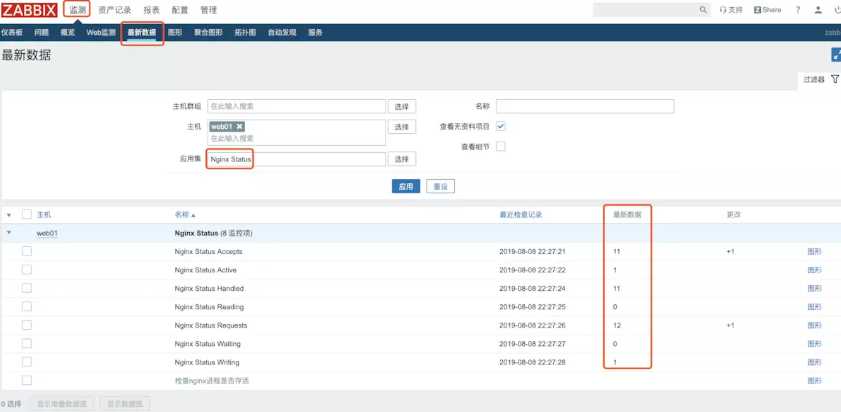
7.查看数据
三、自定义模版监控php状态
1.开启监控页面
[root@web01 ~]# tail -1 /etc/php-fpm.d/www.conf
pm.status_path = /php_status

[root@web01 ~]# cat /etc/nginx/conf.d/status.conf
server {
   listen 80;
   server_name localhost;
   location /nginx_status {
       stub_status on;
       access_log off;
   }

   location /php_status {
       fastcgi_pass 127.0.0.1:9000;
       fastcgi_index index.php;
       fastcgi_param SCRIPT_FILENAME html$fastcgi_script_name;
       include fastcgi_params;
   }
}

[root@web01 ~]# nginx -t
nginx: the configuration file /etc/nginx/nginx.conf syntax is ok
nginx: configuration file /etc/nginx/nginx.conf test is successful
[root@web01 ~]# systemctl restart nginx.service php-fpm.service
2.访问测试
[root@web01 ~]# curl 127.0.0.1/php_status
pool:                 www
process manager:      dynamic
start time:           08/Aug/2019:22:31:27 +0800
start since:          37
accepted conn:        1
listen queue:         0
max listen queue:     0
listen queue len:     128
idle processes:       4
active processes:     1
total processes:      5
max active processes: 1
max children reached: 0
slow requests:        0
3.准备访问脚本
[root@web01 ~]# cat /etc/zabbix/zabbix_agentd.d/fpm.sh
#!/bin/bash
##################################
# Zabbix monitoring script
#
# php-fpm:
#  - anything available via FPM status page
#
##################################
# Contact:
#  vincent.viallet@gmail.com
##################################
# ChangeLog:
#  20100922     VV      initial creation
##################################

# Zabbix requested parameter
ZBX_REQ_DATA="$1"
ZBX_REQ_DATA_URL="$2"

# Nginx defaults
NGINX_STATUS_DEFAULT_URL="http://localhost/fpm/status"
WGET_BIN="/usr/bin/wget"

#
# Error handling:
#  - need to be displayable in Zabbix (avoid NOT_SUPPORTED)
#  - items need to be of type "float" (allow negative + float)
#
ERROR_NO_ACCESS_FILE="-0.91"
ERROR_NO_ACCESS="-0.92"
ERROR_WRONG_PARAM="-0.93"
ERROR_DATA="-0.94" # either can not connect /   bad host / bad port

# Handle host and port if non-default
if [ ! -z "$ZBX_REQ_DATA_URL" ]; then
  URL="$ZBX_REQ_DATA_URL"
else
  URL="$NGINX_STATUS_DEFAULT_URL"
fi

# save the nginx stats in a variable for future parsing
NGINX_STATS=$($WGET_BIN -q $URL -O - 2>/dev/null)

# error during retrieve
if [ $? -ne 0 -o -z "$NGINX_STATS" ]; then
  echo $ERROR_DATA
  exit 1
fi

#
# Extract data from nginx stats
#
#RESULT=$(echo "$NGINX_STATS" | awk 'print $0;match($0, "^'"$ZBX_REQ_DATA"':[[:space:]]+(.*)", a) { print a[1] }')
#RESULT=$(echo "$NGINX_STATS" | grep "$ZBX_REQ_DATA" | awk -F : '{print $2}')
RESULT=$(echo "$NGINX_STATS" | awk -F : "{if(\$1==\"$ZBX_REQ_DATA\") print \$2}")
if [ $? -ne 0 -o -z "$RESULT" ]; then
    echo $ERROR_WRONG_PARAM
    exit 1
fi

echo $RESULT

exit 0

[root@web01 ~]# bash /etc/zabbix/zabbix_agentd.d/fpm.sh "total processes" http://127.0.0.1/php_status
5
4.准备zabbix配置文件
[root@web01 ~]# cat /etc/zabbix/zabbix_agentd.d/fpm.conf
UserParameter=php-fpm[*],/etc/zabbix/zabbix_agentd.d/fpm.sh "$1" "$2"
[root@web01 ~]# systemctl restart zabbix-agent.service
4.使用zabbix_get取值
[root@m01 ~]# zabbix_get -s 10.0.1.7 -k php-fpm["total processes",http://127.0.0.1/php_status]
5
5.导入模版
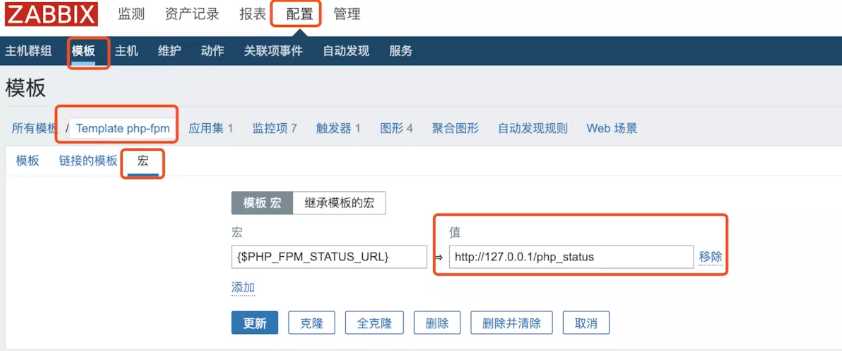
导入之后需要修改一下模版里的宏配置
四、WEB监控
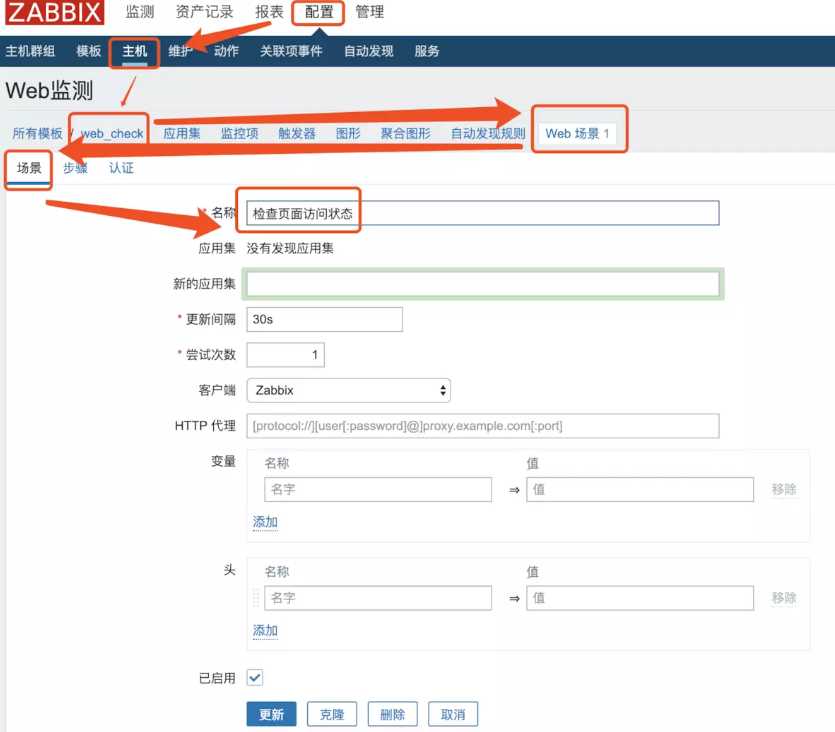
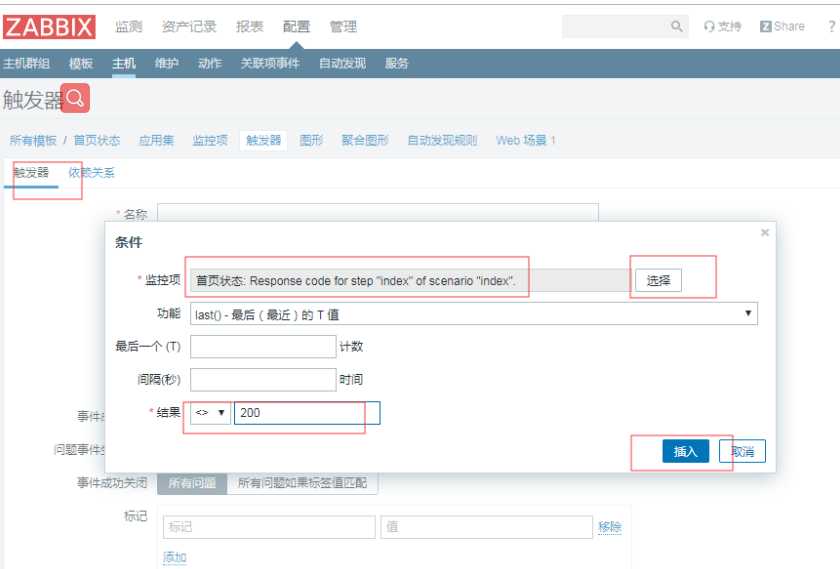
需求,监控页面状态码
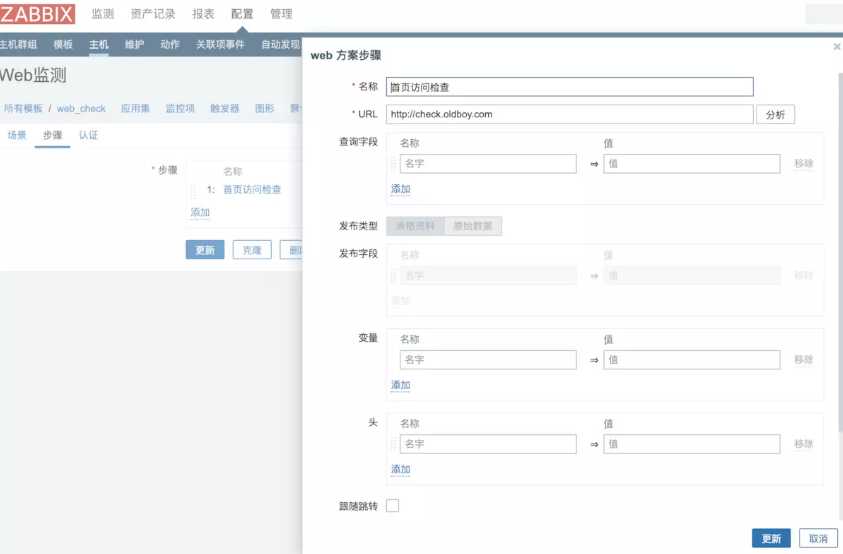

创建触发器
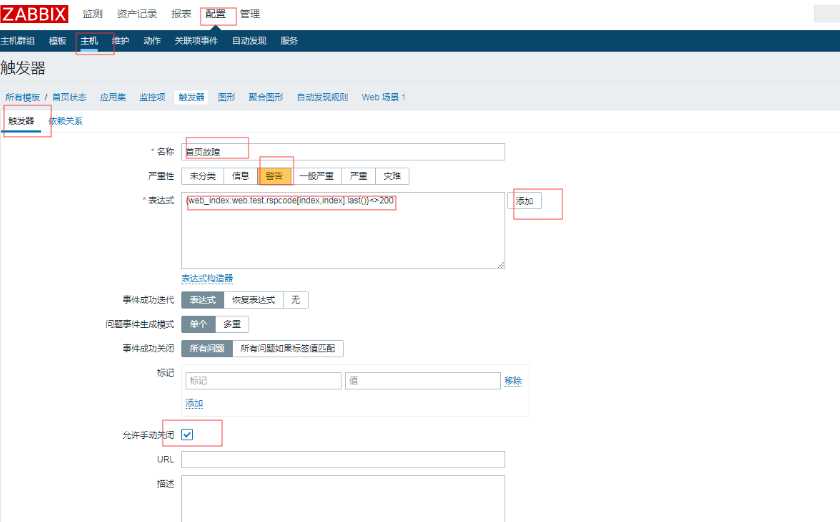
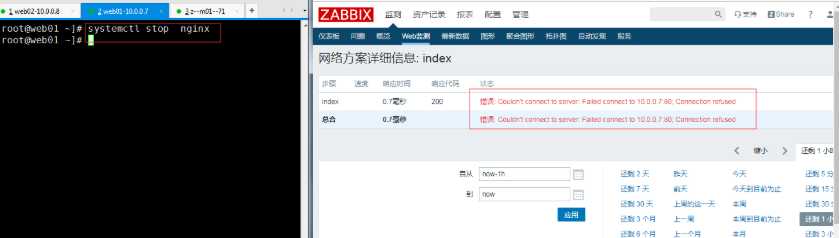
停掉服务时
启动服务
五、故障记录总结
故障1
故障现象:
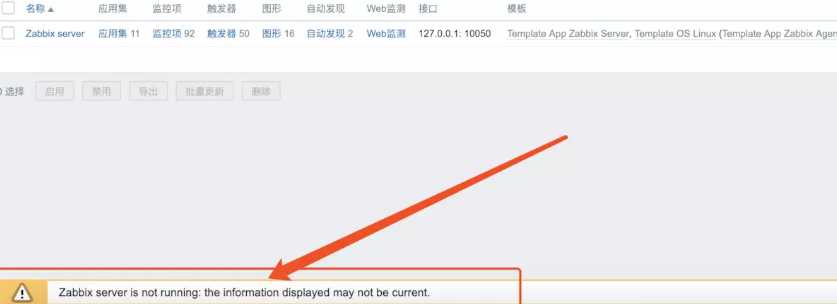
提示zabbix-server is not running

报错日志:
 34983:20190807:202215.171 database is down: reconnecting in 10 seconds
 34983:20190807:202225.172 [Z3001] connection to database 'zabbix' failed: [1045] Access denied for user 'zabbix'@'localhost' (using password: NO)
故障原因:
zabbix-server的配置文件里配有配置数据库密码
故障解决:
添加正确的数据库账号密码信息
[root@m01 ~]# grep "^DB" /etc/zabbix/zabbix_server.conf
DBHost=localhost
DBName=zabbix
DBUser=zabbix
DBPassword=zabbix
故障2
故障现象:微信报警失败
报错日志:
[root@m01 ~]# tail -f /var/log/zabbix/zabbix_server.log
Problem name: TIME_WAIT过多
Host: web01
Severity: Average

Original problem ID: 51
'": Traceback (most recent call last):
  File "/usr/lib/zabbix/alertscripts/weixin.py", line 7, in <module>
    import requests
ImportError: No module named requests
问题原因:
缺少模块 requests
问题解决:
安装缺失的依赖包
[root@m01 ~]# yum install python-pip
[root@m01 ~]# pip install --upgrade pip
[root@m01 ~]# pip install requests
故障3
故障现象:
在server端使用zabbix_get命令测试键值命令时提示警告
[root@m01 ~]# zabbix_get -s 10.0.1.7 -k ESTABLISHED
(Not all processes could be identified, non-owned process info
 will not be shown, you would have to be root to see it all.)
2
问题原因:
zabbix_agent是以普通用户zabbix运行的,而普通用户执行netstat -antp时会有警告,网上查找发现只要不是用p参数就可以以普通用户运行
解决方案:
监控脚本里的命令修改为netstat -ant