

Manual upgrade to Oracle 19c (CDB/PDB)
spa Oracle 19c, Oracle Database 20/12/2019 8 Minutes

manually to 19c ….
Actually it is very cool to do everything with so called „auto tools“. If you prefer to do the Upgrade to 19c manually and step-by-step then you can follow my article and have fun otherwise skip this blog article
Before you start you need to read a lot Doc-ID’s from Oracle Support
My list is not complete but here are very important Doc-ID’s for the Upgrade
Pre Activities for Upgrade 19c
(the list is not complete because there are a lot more documents)
-
- Release Schedule of current DB
- 884522.1
- Patches to apply before Upgrade
- 253975.1
- Health Check Script use before Upgrade or once a year
- 136697.1
- DB PreUpgrade tool checklist
- 2380601.1
- PreUpgrade_19 Zip File latest Version (check for new Version)
- 884522.1
- RU Assistant (very helpful tool)
- 2118136.2
- Client / Server Interoperability Support Matrix for Different Oracle Versions
- 207303.1
- DB Upgrade Diagnostic Information
- 556610.1
- Oracle JVM
- 397770.1
- Release Schedule of current DB
Okay let’s start
Install new Oracle Release 19c
-
- Check if OS Version is certified by Oracle Support
- Login and check certification
- Check if OS Version is certified by Oracle Support

-
-
- If the OS is not supported please open an Service Request and ask for Support
- Download the Oracle Release from
- OTN or Software Delivery Portal
- in my example 19c
-
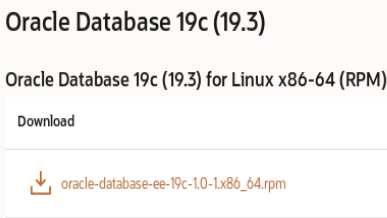
-
- create new Oracle Home for 19c
- Use OFA (Oracle Flexible Architecture) for the Setup
-
Documentation: "/u01/app/oracle/product/19.0.0/dbhome_1"
-
- Use OFA (Oracle Flexible Architecture) for the Setup
- unpack the zip File./runInstaller
- Follow the Installer

- root.sh
- fix errors before going on
- create new Oracle Home for 19c

Patch the new ORACLE_HOME with latest RU
-
- Install latest version of opatch
- Download RU

-
-
-
- p30125133_190000_Linux-x86-64.zip
-
- Patch 19c Home
- opatch apply -local -oh /u01/app/oracle/product/19.0.0/dbhome_1 /home/oracle/Downloads/30125133
- patching done
-

-
-
- Test the installed RU
- ./sqlplus / as sysdba
- SQL*Plus: Release 19.0.0.0.0 – Production on Thu Dec 5 18:00:34 2019
Version 19.5.0.0.0
- Test the installed RU
-
Important note while planing the Upgrade to 19c
-
- In Oracle19c you can setup 3 PDB’s in a CDB without the Multitenant license
- Check the update regarding three PDBs in the Oracle 19c License Guide
- Oracle will desupport the non-CDB in Version 20c
- This is very important for the future
- My recommendation
- plan the changeover in the Multitenant „World“ NOW!
- It’s time so say good bye … from non-CDB
- In Oracle19c you can setup 3 PDB’s in a CDB without the Multitenant license
Download, install and run the Database Pre-Upgrade Utility
-
- Download from Oracle Support the actual Pre-Upgrade Script
- actual Version is from November 2019
- If version is 12.2 or higher, then save the file in $ORACLE_HOME/rdbms/admin
- unzip preupgrade_19_cbuild_5_lf.zip
- …
- fileinflating: components.properties
inflating: preupgrade.jar
[oracle@o183 admin]$ - new „Nov 6 13:40 preupgrade.jar“
- Now it is time to read the documentation
- start preupgrade.jar
- $ORACLE_HOME/jdk/bin/java -jar /u01/app/oracle/product/19.0.0/dbhome_1/rdbms/admin/preupgrade.jar TERMINAL TEXT
- preupgrade Logfile
- cd /u01/app/oracle/cfgtoollogs/db1_S1/preupgrade
- Check the Logfile „preupgrade.log“
- here an example
- preupgrade
- Before Upgrade actions
- After Upgrade actions
- preupgrade
- Download from Oracle Support the actual Pre-Upgrade Script
-
-
- additional very helpful files
- preupgrade_fixups.sql
- postupgrade_fixups.sql
- and check the Logfile
- Fix all errors
- Now you are ready for the Upgrade
- additional very helpful files
-
Oracle JVM installed
-
- Before doing an Upgrade check if the JVM is installed.
- Why?
- If you don not need the JVM in the Database deinstall it
- It makes live in some cases especially during Patching (especially for RAC DB’s) easier
-
- Check if JVM is installed
- select comp_name, version, status from dba_registry where comp_name like ‚%JAVA%‘;
- select owner, status, count(*) from all_objects where object_type like ‚%JAVA%‘ group by owner, status;
- select role from dba_roles where role like ‚%JAVA%‘;
- Check if JVM is installed
-
- The DBA_FEATURE_USAGE_STATISTICS view can also help to check for the Java feature
- select currently_used, name from dba_feature_usage_statistics where name like ‚%Java%‘;
- The DBA_FEATURE_USAGE_STATISTICS view can also help to check for the Java feature
So Installation, RU and preUpgrade is done. Let’s go to the manual „dbupgrade“ ….
Manual Upgrade to 19c
I describe now how to do the Upgrade to 19c manually without using dbua. Here is my CDB/PDB environment
CDB => db1
PDB => pdb1, pdb2,pdb3
-
- https://docs.oracle.com/en/database/oracle/oracle-database/19/upgrd
- please take a look to the documentation especially when doing Upgrades in CDB/PDB environments
- Upgrade
- set ORACLE_SID
- cd $ORACLE_HOME/rdbms/admin
- /u01/app/oracle/product/19.0.0/dbhome_1/rdbms/admin
- $ sqlplus / as sysdba
- https://docs.oracle.com/en/database/oracle/oracle-database/19/upgrd
-
- Start the CDB in upgrade mode
- sqlplus / as sysdba
- startup upgrade
- Open all PDB for Upgrade
- alter pluggable database all open upgrade;
- Start the CDB in upgrade mode
the output looks like
| 1 2 3 4 5 6 7 8 9 10 11 12 13 14 15 16 17 | Version 19.5 . 0.0 . 0 </ pre > < pre >Copyright (c) 1982 , 2019 , Oracle. All rights reserved. Connected to an idle instance. SQL> startup upgrade ORACLE instance started. SQL> alter pluggable database all open upgrade; Pluggable database altered. SQL> show pdbs CON_ID CON_NAME OPEN MODE RESTRICTED ---------- ------------------------------ ---------- ---------- 2 PDB$SEED MIGRATE YES 3 PDB 1 MIGRATE YES 4 PDB 2 MIGRATE YES 5 PDB 3 MIGRATE YES |
-
- Start dbupgrade for the entire CDB in so called „parallel Upgrade“
- cd $ORACLE_HOME/bin
- ./dbupgrade
- when finished check Logfiles
- open all PDB’s
- alter pluggable database all open;
- Start dbupgrade for the entire CDB in so called „parallel Upgrade“
| 1 2 3 4 5 6 7 8 9 10 11 12 13 14 15 16 17 18 19 20 21 22 23 24 25 26 27 28 29 30 31 32 33 34 35 36 37 38 39 40 41 42 43 44 45 46 47 48 49 50 51 52 53 54 55 56 57 58 59 60 61 62 63 64 65 66 67 68 69 70 71 72 73 74 75 76 77 78 79 80 81 82 83 84 85 86 87 88 89 90 91 92 93 94 95 96 97 98 99 100 101 102 103 104 105 106 107 108 109 110 111 112 113 114 115 116 117 118 119 120 121 122 123 124 125 126 127 128 129 130 131 132 133 134 135 136 137 138 139 140 141 142 143 144 145 146 147 148 149 150 151 152 153 154 155 156 157 | ./dbupgrade Argument list for [/u 01 /app/oracle/product/ 19.0 . 0 /dbhome_ 1 /rdbms/admin/catctl.pl] .... catctl.pl VERSION: [ 19.0 . 0.0 . 0 ] STATUS: [Production] BUILD: [RDBMS_ 19.5 . 0.0 . 0 DBRU_LINUX.X 64 _ 190909 ] /u 01 /app/oracle/product/ 19.0 . 0 /dbhome_ 1 /rdbms/admin/orahome = [/u 01 /app/oracle/product/ 19.0 . 0 /dbhome_ 1 ] /u 01 /app/oracle/product/ 19.0 . 0 /dbhome_ 1 /bin/orabasehome = [/u 01 /app/oracle/product/ 19.0 . 0 /dbhome_ 1 ] catctlGetOraBaseLogDir = [/u 01 /app/oracle/product/ 19.0 . 0 /dbhome_ 1 ] Analyzing file /u 01 /app/oracle/product/ 19.0 . 0 /dbhome_ 1 /rdbms/admin/catupgrd.sql Log file directory = [/tmp/cfgtoollogs/upgrade 20191217191042 ] catcon::set_log_file_base_path: ALL catcon-related output will be written to [/tmp/cfgtoollogs/upgrade 20191217191042 /catupgrd_catcon_ 19846 .lst] catcon::set_log_file_base_path: catcon: See [/tmp/cfgtoollogs/upgrade 20191217191042 /catupgrd*.log] files for output generated by scripts catcon::set_log_file_base_path: catcon: See [/tmp/cfgtoollogs/upgrade 20191217191042 /catupgrd_*.lst] files for spool files, if any Number of Cpus = 2 Database Name = db 1 _S 1 DataBase Version = 18.0 . 0.0 . 0 catcon::set_log_file_base_path: ALL catcon-related output will be written to [/u 01 /app/oracle/product/ 19.0 . 0 /dbhome_ 1 /cfgtoollogs/db 1 _S 1 /upgrade 20191217191058 /catupgrdcdbroot_catcon_ 19846 .lst] catcon::set_log_file_base_path: catcon: See [/u 01 /app/oracle/product/ 19.0 . 0 /dbhome_ 1 /cfgtoollogs/db 1 _S 1 /upgrade 20191217191058 /catupgrdcdbroot*.log] files for output generated by scripts catcon::set_log_file_base_path: catcon: See [/u 01 /app/oracle/product/ 19.0 . 0 /dbhome_ 1 /cfgtoollogs/db 1 _S 1 /upgrade 20191217191058 /catupgrdcdbroot_*.lst] files for spool files, if any Log file directory = [/u 01 /app/oracle/product/ 19.0 . 0 /dbhome_ 1 /cfgtoollogs/db 1 _S 1 /upgrade 20191217191058 ] PDB Parallel SQL Process Count = [ 2 ] is higher or equal to CPU Count = [ 2 ] Concurrent PDB Upgrades defaulting to CPU Count [ 2 ] Parallel SQL Process Count (PDB) = 2 Parallel SQL Process Count (CDB$ROOT) = 4 Concurrent PDB Upgrades = 2 Generated PDB Inclusion:[PDB$SEED PDB 1 PDB 2 PDB 3 ] Components in [CDB$ROOT] Installed [APS CATALOG CATJAVA CATPROC CONTEXT DV JAVAVM OLS ORDIM OWM SDO XDB XML XOQ] Not Installed [APEX EM MGW ODM RAC WK] ------------------------------------------------------ Phases [ 0 -107 ] Start Time:[ 2019 _ 12 _ 17 19: 11: 29 ] Container Lists Inclusion:[CDB$ROOT] Exclusion:[NONE] ------------------------------------------------------ ... Upgrade Phases ************* Catproc Package Specs ************ Serial Phase #: 11 [CDB$ROOT] Files: 1 Time: 58 s Restart Phase #: 12 [CDB$ROOT] Files: 1 Time: 4 s ************** Catproc Procedures ************** Parallel Phase #: 13 [CDB$ROOT] Files: 94 Time: 15 s Restart Phase #: 14 [CDB$ROOT] Files: 1 Time: 4 s Parallel Phase #: 15 [CDB$ROOT] Files: 121 Time: 19 s Restart Phase #: 16 [CDB$ROOT] Files: 1 Time: 3 s Serial Phase #: 17 [CDB$ROOT] Files: 22 Time: 8 s Restart Phase #: 18 [CDB$ROOT] Files: 1 Time: 3 s ***************** Catproc Views **************** Parallel Phase #: 19 [CDB$ROOT] Files: 32 Time: 23 s Restart Phase #: 20 [CDB$ROOT] Files: 1 Time: 3 s Serial Phase #: 21 [CDB$ROOT] Files: 3 Time: 17 s Restart Phase #: 22 [CDB$ROOT] Files: 1 Time: 1 s Parallel Phase #: 23 [CDB$ROOT] Files: 25 Time: 144 s .... Restart Phase #: 32 [CDB$ROOT] Files: 1 Time: 3 s Serial Phase #: 34 [CDB$ROOT] Files: 1 Time: 0 s ***************** Catproc PLBs ***************** Serial Phase #: 35 [CDB$ROOT] Files: 294 Time: 27 s Serial Phase #: 36 [CDB$ROOT] Files: 1 Time: 0 s Restart Phase #: 37 [CDB$ROOT] Files: 1 Time: 3 s Serial Phase #: 38 [CDB$ROOT] Files: 6 Time: 9 s Restart Phase #: 39 [CDB$ROOT] Files: 1 Time: 4 s *************** Catproc DataPump *************** Serial Phase #: 40 [CDB$ROOT] Files: 3 Time: 41 s Restart Phase #: 41 [CDB$ROOT] Files: 1 Time: 3 s ... ***************** Upgrading SDO **************** Restart Phase #: 74 [CDB$ROOT] Files: 1 Time: 2 s Serial Phase #: 76 [CDB$ROOT] Files: 1 Time: 65 s Serial Phase #: 77 [CDB$ROOT] Files: 2 Time: 11 s Restart Phase #: 78 [CDB$ROOT] Files: 1 Time: 3 s Serial Phase #: 79 [CDB$ROOT] Files: 1 Time: 77 s Restart Phase #: 80 [CDB$ROOT] Files: 1 Time: 3 s Parallel Phase #: 81 [CDB$ROOT] Files: 3 Time: 86 s Restart Phase #: 82 [CDB$ROOT] Files: 1 Time: 4 s Serial Phase #: 83 [CDB$ROOT] Files: 1 Time: 12 s Restart Phase #: 84 [CDB$ROOT] Files: 1 Time: 2 s .... <strong>So now the PDB Upgrade starts</strong> ... ------------------------------------------------------ Phases [ 0 -107 ] Start Time:[ 2019 _ 12 _ 17 19: 49: 12 ] Container Lists Inclusion:[PDB$SEED] Exclusion:[NONE] ------------------------------------------------------ ------------------------------------------------------ Phases [ 0 -107 ] Start Time:[ 2019 _ 12 _ 17 19: 49: 13 ] Container Lists Inclusion:[PDB 1 ] Exclusion:[NONE] ------------------------------------------------------ *********** Executing Change Scripts *********** Serial Phase #: 0 [PDB$SEED] Files: 1 *********** Executing Change Scripts *********** Serial Phase #: 0 [PDB 1 ] Files: 1 Time: 20 s *************** Catalog Core SQL *************** Serial Phase #: 1 [PDB$SEED] Files: 5 Time: 20 s *************** Catalog Core SQL *************** Serial Phase #: 1 [PDB 1 ] Files: 5 Time: 57 s Restart Phase #: 2 [PDB$SEED] Files: 1 Time: 56 s Restart Phase #: 2 [PDB 1 ] Files: 1 Time: 2 s *********** Catalog Tables and Views *********** Parallel Phase #: 3 [PDB$SEED] Files: 19 Time: 2 s *********** Catalog Tables and Views *********** Parallel Phase #: 3 [PDB 1 ] Files: 19 Time: 31 s Restart Phase #: 4 [PDB$SEED] Files: 1 Time: 32 s <strong>... next PDB upgrade</strong> ------------------------------------------------------ Phases [ 0 -107 ] Start Time:[ 2019 _ 12 _ 17 20: 30: 33 ] Container Lists Inclusion:[PDB 2 ] Exclusion:[NONE] ------------------------------------------------------ *********** Executing Change Scripts *********** Serial Phase #: 0 [PDB 2 ] Files: 1 Time: 20 s *************** Catalog Core SQL *************** Serial Phase #: 1 [PDB 2 ] Files: 5 Time: 41 s Restart Phase #: 2 [PDB 2 ] Files: 1 Time: 1 s *********** Catalog Tables and Views *********** Parallel Phase #: 3 [PDB 2 ] Files: 19 Time: 28 s Restart Phase #: 4 [PDB 2 ] Files: 1 Time: 1 s ************* Catalog Final Scripts ************ Serial Phase #: 5 [PDB 2 ] Files: 7 Time: 23 s ***************** Catproc Start **************** ------------------------------------------------------ Phases [ 0 -107 ] End Time:[ 2019 _ 12 _ 17 21: 31: 53 ] Container Lists Inclusion:[PDB 3 ] Exclusion:[NONE] ------------------------------------------------------ Grand Total Time: 3373 s [PDB 3 ] LOG FILES: (/u 01 /app/oracle/product/ 19.0 . 0 /dbhome_ 1 /cfgtoollogs/db 1 _S 1 /upgrade 20191217191058 /catupgrdpdb 3 *.log) Upgrade Summary Report Located in: /u 01 /app/oracle/product/ 19.0 . 0 /dbhome_ 1 /cfgtoollogs/db 1 _S 1 /upgrade 20191217191058 /upg_summary.log Time: 2219 s For CDB$ROOT Time: 6208 s For PDB(s) Grand Total Time: 8427 s LOG FILES: (/u 01 /app/oracle/product/ 19.0 . 0 /dbhome_ 1 /cfgtoollogs/db 1 _S 1 /upgrade 20191217191058 /catupgrdcdbroot*.log) Upgrade Summary Report Located in: /u 01 /app/oracle/product/ 19.0 . 0 /dbhome_ 1 /cfgtoollogs/db 1 _S 1 /upgrade 20191217191058 /upg_summary.log Grand Total Upgrade Time: [ 0 d: 2 h: 20 m: 27 s] |
Post Steps after dbupgrade
-
- recompile objects
- Start the CDB and PDB’s
- sqlplus / as sysdba
- startup
- alter pluggable database all open
- $ORACLE_HOME/perl/bin/perl catcon.pl -n 1 -e -b utlrp -d “‘.“‘ utlrp.sql
- catcon.pl: completed successfully
- Check the Logfile
- Start the CDB and PDB’s
- recompile objects
-
- start the postupgrade_fixups.sql if needed
- $ORACLE_HOME/perl/bin/perl catcon.pl -n 1 -e -b postupgrade_fixups -d “‘.“‘ postupgrade_fixups.sql
- start the postupgrade_fixups.sql if needed
-
- Check if all open issues are fixed with utlusts.sql if needed
- $ORACLE_HOME/perl/bin/perl catcon.pl -n 1 -e -b utlu122s -d “‘.“‘ utlusts.sql
- Example Output from PDB2
- Check if all open issues are fixed with utlusts.sql if needed
| 1 2 3 4 5 6 7 8 9 10 11 12 13 14 15 16 17 18 19 20 21 22 23 24 25 26 27 28 29 |   SQL> @utlusts.sql Oracle Database Release 19 Post-Upgrade Status Tool 12 -19 -2019 17: 26: 3 Container Database: DB 1 [CON_ID: 4 => PDB 2 ] Component Current Full Elapsed Time Name Status Version HH:MM:SS Oracle Server VALID 19.5 . 0.0 . 0 00: 14: 06 JServer JAVA Virtual Machine VALID 19.5 . 0.0 . 0 00: 00: 46 Oracle XDK VALID 19.5 . 0.0 . 0 00: 00: 52 Oracle Database Java Packages VALID 19.5 . 0.0 . 0 00: 00: 17 OLAP Analytic Workspace VALID 19.5 . 0.0 . 0 00: 00: 15 Oracle Label Security VALID 19.5 . 0.0 . 0 00: 00: 03 Oracle Database Vault VALID 19.5 . 0.0 . 0 00: 00: 44 Oracle Text VALID 19.5 . 0.0 . 0 00: 00: 09 Oracle Workspace Manager VALID 19.5 . 0.0 . 0 00: 00: 17 Oracle Real Application Clusters OPTION OFF 19.5 . 0.0 . 0 00: 00: 00 Oracle XML Database VALID 19.5 . 0.0 . 0 00: 02: 05 Oracle Multimedia VALID 19.5 . 0.0 . 0 00: 00: 33 Spatial VALID 19.5 . 0.0 . 0 00: 20: 53 Oracle OLAP API VALID 19.5 . 0.0 . 0 00: 00: 08 Datapatch 00: 06: 48 Final Actions 00: 07: 03 Post Upgrade 00: 01: 54 Post Compile 00: 08: 03 |
Summary
The manual Upgrade to Oracle 19.5 for my CDB / PDB Setup is done
Take in mind that you need some more time to prepare everything and read the documentation and Doc’s from Oracle Support before you start. It makes life easier
By the way without a Login to the My Oracle Support Site to get the Doc-ID’s and Patches the Upgrade is not possible
And last but not least, please check the Blog from Mike Dietrich https://mikedietrichde.com/
Mike has the best Oracle Blog if you need to do Oracle Upgrades
Thanks a lot Mike. 🙂