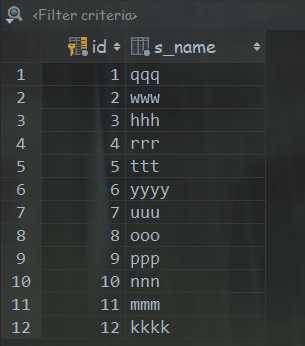

创建 app6 在项目的 settings 中进行注册 INSTALLED_APPS 里面添加 ‘app6.apps.App6Config‘ 在 app6 的models.py 中创建数据表 class Student(models.Model): s_name = models.CharField(max_length= 16) 进行迁移 python manage.py makemigrations python manage.py migrate 在 views 中添加函数 from django.http import HttpResponse from django.shortcuts import render # Create your views here. from app6.models import Student def hello(request): return HttpResponse("你好") def index(request): # render 实质上也是返回 HttpResponse ,render 帮助把模板和context数据渲染成字符串 ‘‘‘ temp = loader.get_template(‘index6.html‘) content = temp.render() return HttpResponse(content) 两者等价 return render(request,‘index6.html‘) ‘‘‘ return render(request,‘index6.html‘) def getstudents(request): students = Student.objects.all() stu_data = { ‘students‘:students } return render(request,‘students.html‘,context=stu_data) 注: 见名知意即可 在 urls.py 中添加 from django.conf.urls import url from app6 import views urlpatterns = [ url(r‘hello‘,views.hello), url(r‘index‘,views.index), url(r‘getstudents‘,views.getstudents) ] 创建 templates 文件夹,添加 students.html 对数据进行遍历 <!DOCTYPE html> <html lang="en"> <head> <meta charset="UTF-8"> <title>Title</title> </head> <body> <h3> {% for stu in students %} <li> {{ stu.s_name }}</li> {% endfor %} </h3> </body> </html
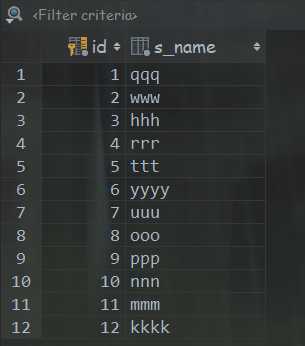
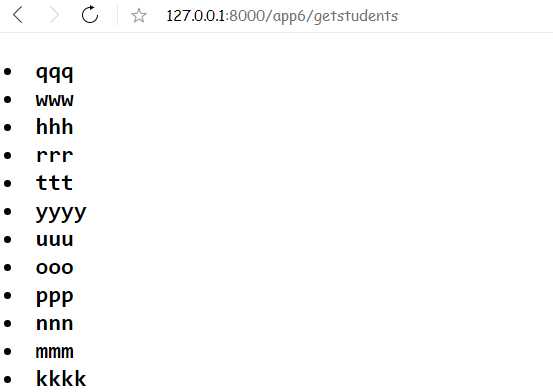
以上为 静态的显示接下来的是添加的内容
进阶内容 使用 变量 def getstudents(request): students = Student.objects.all() stu_dict = { # 自己定义的字典 ‘hobby‘:‘play‘, ‘time‘:‘5 years‘ } stu_data = { ‘students‘:students, ‘stu_dict‘:stu_dict # stu_dict 是自己定义的字典 } return render(request,‘students.html‘,context=stu_data) students_list.html <!DOCTYPE html> <html lang="en"> <head> <meta charset="UTF-8"> <title>Title</title> </head> <body> <ul> {% for stu in students %} <li> {{ stu.s_name }}</li> {% endfor %} <hr/><br/><br/> <li> {{ students.0.s_name }}</li> {# 0 输出第一个数据 #} <hr/><br/><br/> {% for stu in students %} <li> {{ stu.get_name }}</li> {# 此处使用的是类中定义的方法#} {% endfor %} <h3>{{ stu_dict.hobby }}</h3> {#stu_dict 是自己创建的字典类型,使用的 hobby 是自己添加的键值#} </ul> </body> </html> 注: stu.s_name 遍历的对象获取名字 students.0.s_name 获取第一条数据的名字 stu.get_name 使用类内的方法获取姓名 def get_name(self): # 使用类内定义的函数获取名字 return self.s_name stu_dict.hobby 使用自定义的字典元素 注: 需要写到 context 内部的 键中 stu_dict = { # 自己定义的字典 ‘hobby‘:‘play‘, ‘time‘:‘5 years‘ } stu_data = { ‘students‘:students, ‘stu_dict‘:stu_dict # stu_dict 是自己定义的字典 }
2020-05-13