
说明:后台springboot项目 前台vue+element-UI
直接放代码:
//后台代码
@Component
@ServerEndpoint(“/websocket”)
public class WebSocket {
private Session session;
private static CopyOnWriteArraySet<WebSocket> webSockets = new CopyOnWriteArraySet<>();
private String msg = “0”;
@OnOpen
public void onOpen(Session session) {
this.session = session;
webSockets.add(this);
sendAllMessage(msg);
}
/**
* 关闭调用方法
*/
@OnClose
public void onClose() {
webSockets.remove(this);
}
@OnMessage
public void onMessage(String msg) {
}
/**
* 消息广播到前台
*
* @param msg
*/
public void sendAllMessage(String msg) {
for (WebSocket webSocket : webSockets) {
try {
webSocket.session.getBasicRemote().sendText(msg);
} catch (Exception e) {
e.printStackTrace();
}
}
}
}
//前台vue
<div style=”margin-top: 20px;”> <el-progress :percentage=”percentMsg”></el-progress> </div>
//前台js mounted是vue用来初始化的 methods里定义的是方法
mounted()
{ // WebSocket if (“WebSocket” in window) { this.websocket = new WebSocket(“ws://localhost:8080/websocket”); this.initWebSocket(); } else { alert(“当前浏览器 Not support websocket”); }
},
methods:
{ initWebSocket() { // 连接错误 this.websocket.onerror = this.setErrorMessage;
// 连接成功 this.websocket.onopen = this.setOnopenMessage;
// 收到消息的回调 this.websocket.onmessage = this.setOnmessageMessage;
// 连接关闭的回调 this.websocket.onclose = this.setOncloseMessage;
// 监听窗口关闭事件,当窗口关闭时,主动去关闭websocket连接,防止连接还没断开就关闭窗口,server端会抛异常。 window.onbeforeunload = this.onbeforeunload; }, setErrorMessage() { // console.log( // “WebSocket连接发生错误 状态码:” + this.websocket.readyState // ); }, setOnopenMessage() { // console.log(“WebSocket连接成功 状态码:” + this.websocket.readyState); }, setOnmessageMessage(event) { // 服务器推送的消息 console.log(“服务端返回:” + event.data); //percentMsg就是绑定的进度值 this.percentMsg = parseInt(event.data); if (this.percentMsg == 100) { //如果进度是100 dialog框就隐藏 this.dialogPortVisible = false; } }, setOncloseMessage() { // console.log(“WebSocket连接关闭 状态码:” + this.websocket.readyState); }, onbeforeunload() { this.closeWebSocket(); }, closeWebSocket() { this.websocket.close(); }, //format函数是和进度条组件绑定的 具体可查看element-ui组件官网进度条 format(percentage){ return percentage === 100 ? “满” : `${percentage}%` }
}
//后台调用推送数据
@RestController
public class ExportTxt {
@Autowired
private WebSocket websocket;
@RequestMapping(value = “/test”, method = RequestMethod.POST, produces = “application/json;charset=utf-8”)
public void test(){
String msg = “”;
int a = 0;
for(int i=0;i<5;i++){
msg = String.valueOf(a);
websocket.sendAllMessage(msg);
a=a+20;
}
}
}
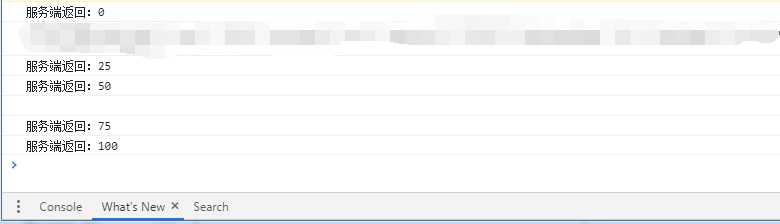
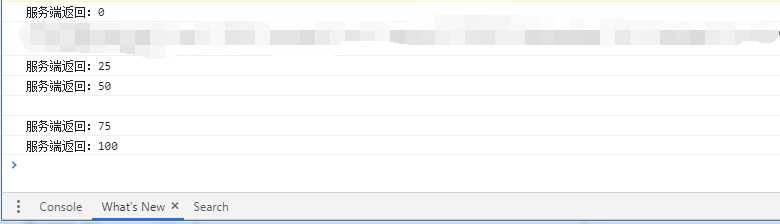
进度条进度数据 效果如下