
在IDEA中HTML格式化(快捷键:Ctrl+Alt+L)时默认不缩进。
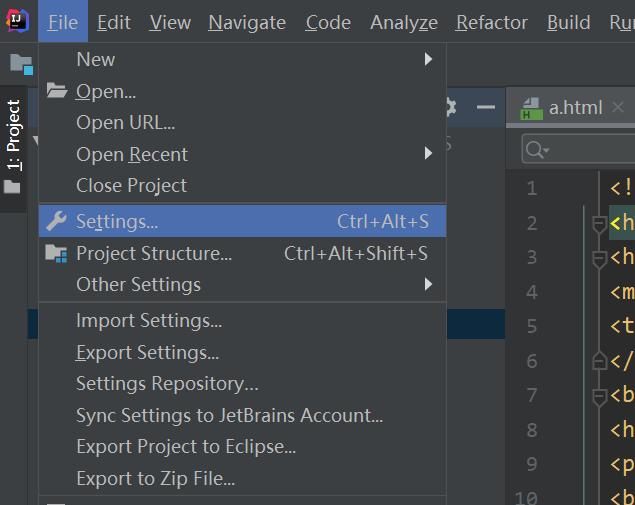
1.File→Settings
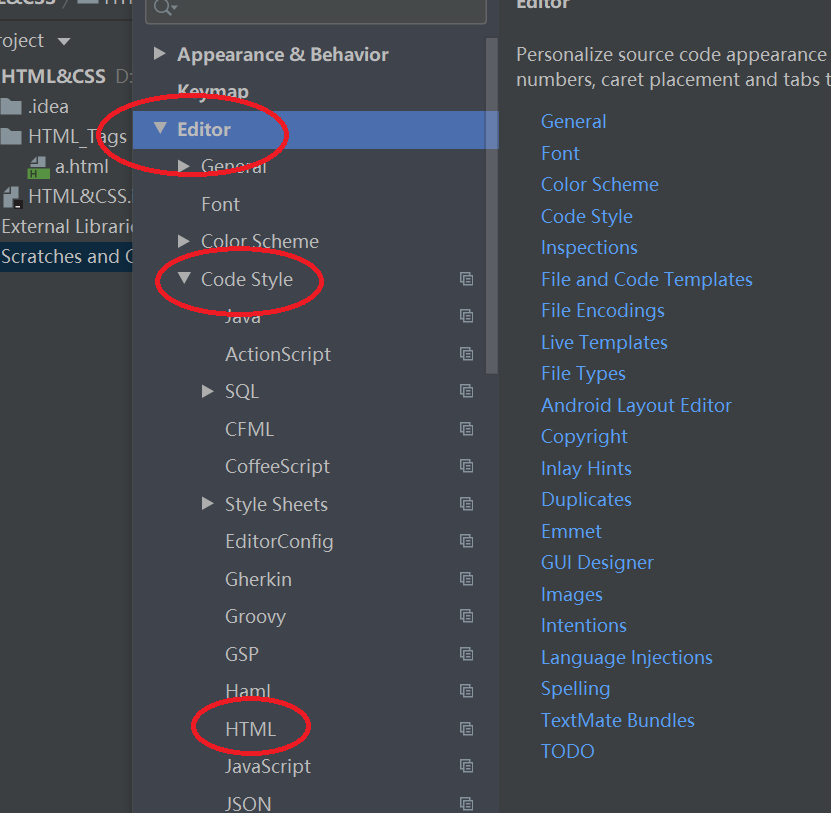
2.Editor→Code Style→HTML
3.Other→Do not indent children of
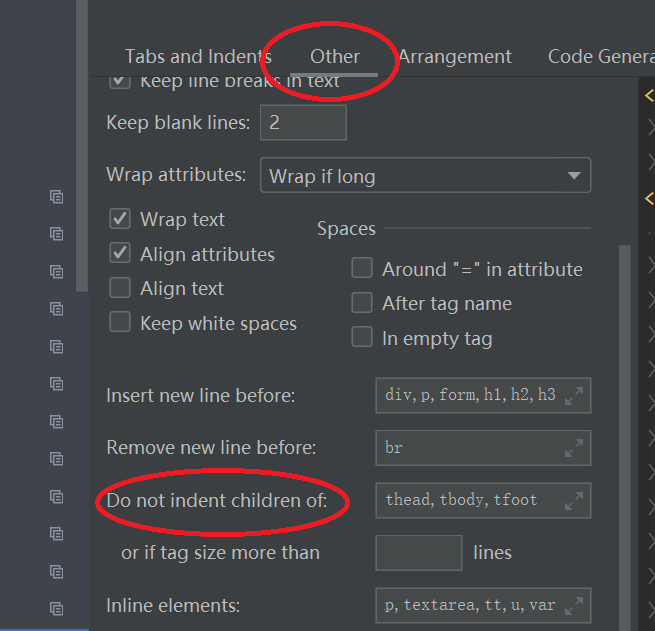
4.将里面的html,body,head统统删掉,然后点击OK,问题解决。
——
在IDEA中HTML格式化(快捷键:Ctrl+Alt+L)时默认不缩进。
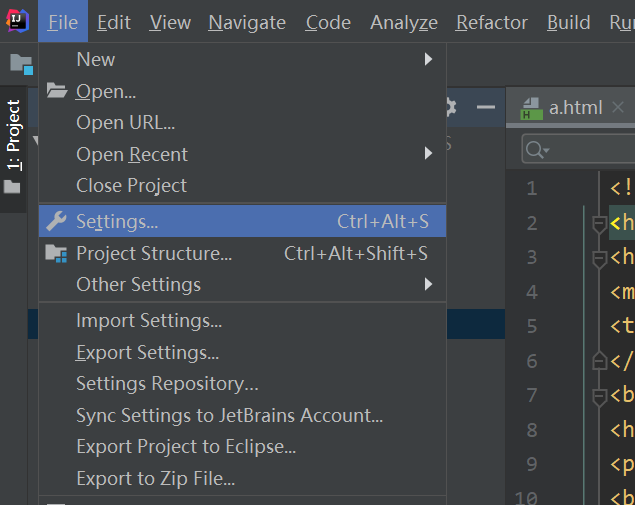
1.File→Settings
2.Editor→Code Style→HTML
3.Other→Do not indent children of
4.将里面的html,body,head统统删掉,然后点击OK,问题解决。
——