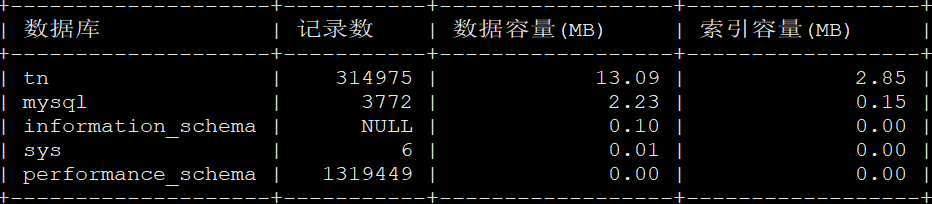
1:使用以下命令查询指定数据库容量大小:
where table_schema=‘mysql‘ #mysql是数据库名称,将mysql修改自己想要查询的数据库即可。
select
table_schema as ‘数据库‘,
sum(table_rows) as ‘记录数‘,
sum(truncate(data_length/1024/1024, 2)) as ‘数据容量(MB)‘,
sum(truncate(index_length/1024/1024, 2)) as ‘索引容量(MB)‘
from information_schema.tables
where table_schema=‘mysql‘;

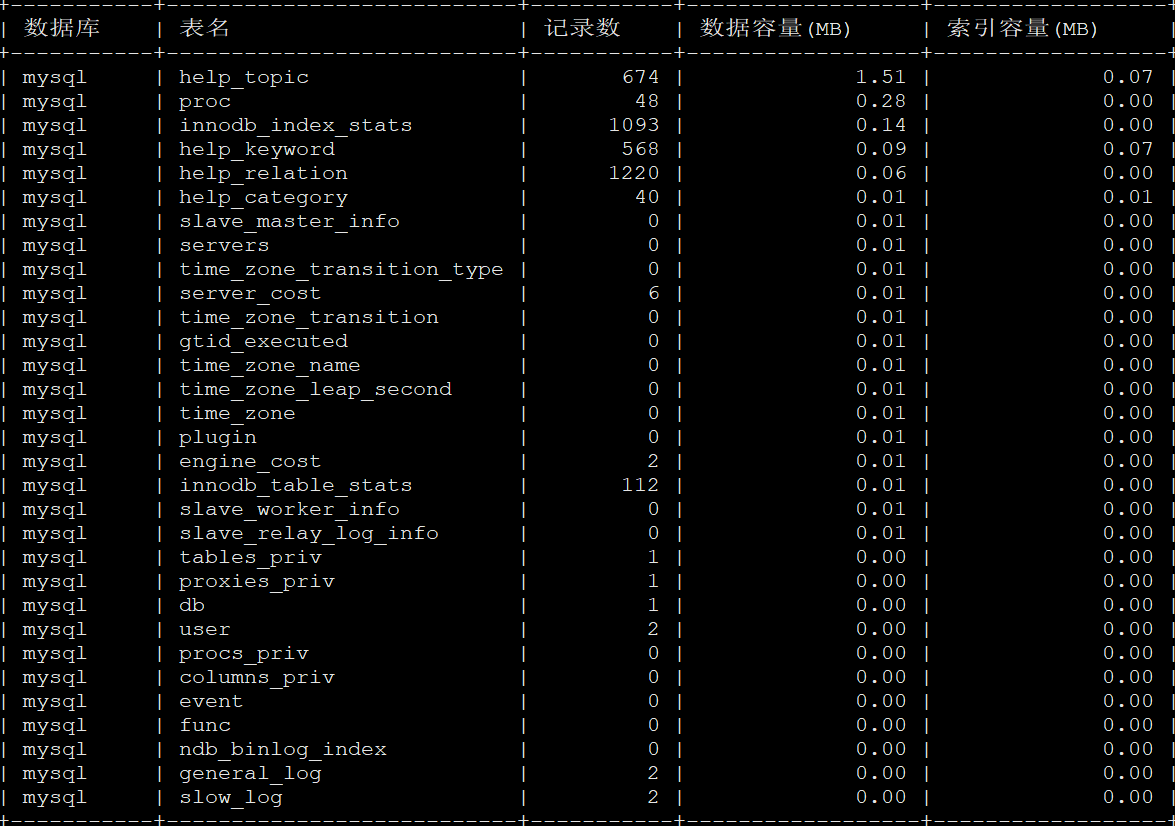
2:查询数据库中所有表的大小及信息:
select
table_schema as ‘数据库‘,
table_name as ‘表名‘,
table_rows as ‘记录数‘,
truncate(data_length/1024/1024, 2) as ‘数据容量(MB)‘,
truncate(index_length/1024/1024, 2) as ‘索引容量(MB)‘
from information_schema.tables
where table_schema=‘mysql‘
order by data_length desc, index_length desc;
3:查询所有数据库大小及信息:
select
table_schema as ‘数据库‘,
sum(table_rows) as ‘记录数‘,
sum(truncate(data_length/1024/1024, 2)) as ‘数据容量(MB)‘,
sum(truncate(index_length/1024/1024, 2)) as ‘索引容量(MB)‘
from information_schema.tables
group by table_schema
order by sum(data_length) desc, sum(index_length) desc;