
摘自:https://www.cnblogs.com/whh412/p/5627088.html
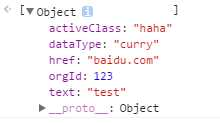
1. JSON.parse(jsonString): 在一个字符串中解析出JSON对象
| 1 2 3 | var str = ‘[{"href":"baidu.com","text":"test","orgId":123,"dataType":"curry","activeClass":"haha"}]‘ ; JSON.parse(str); |
结果:
2. JSON.stringify(obj) : 将一个JSON对象转换成字符串
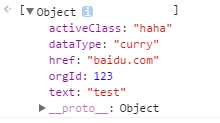
| 1 2 3 | var obj = [{ "href" : "baidu.com" , "text" : "test" , "orgId" :123, "dataType" : "curry" , "activeClass" : "haha" }]; JSON.stringify(obj); |
结果:
| 1 | "[{" href ":" baidu.com "," text ":" test "," orgId ":123," dataType ":" curry "," activeClass ":" haha "}]" |
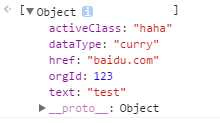
3. jQuery.parseJSON(jsonString) : 将格式完好的JSON字符串转为与之对应的JavaScript对象
| 1 2 3 | var str = ‘[{"href":"baidu.com","text":"test","orgId":123,"dataType":"curry","activeClass":"haha"}]‘ ; jQuery.parseJSON(str); |
结果:
4.JSON.parse()和jQuery.parseJSON()的区别:
有的浏览器不支持JSON.parse()方法,使用jQuery.parseJSON()方法时,在浏览器支持时会返回执行JSON.parse()方法的结果,否则会返回类似执行eval()方法的结果,以上结论参考jquery 1.9.1 得出:
| 1 2 3 4 5 6 7 8 9 10 11 12 13 14 15 16 17 18 19 20 21 22 23 24 25 26 27 28 29 30 31 32 33 34 35 | parseJSON: function ( data ) { // Attempt to parse using the native JSON parser first if ( window.JSON && window.JSON.parse ) { return window.JSON.parse( data ); } if ( data === null ) { return data; } if ( typeof data === "string" ) { // Make sure leading/trailing whitespace is removed (IE can‘t handle it) data = jQuery.trim( data ); if ( data ) { // Make sure the incoming data is actual JSON // Logic borrowed from http://json.org/json2.js if ( rvalidchars.test( data.replace( rvalidescape, "@" ) .replace( rvalidtokens, "]" ) .replace( rvalidbraces, "" )) ) { return ( new Function( "return " + data ) )(); } } } jQuery.error( "Invalid JSON: " + data ); }, |