
需要学习的地方:
1.Scrapy框架流程梳理,各文件的用途等
2.在Scrapy框架中使用MongoDB数据库存储数据
3.提取下一页链接,回调自身函数再次获取数据
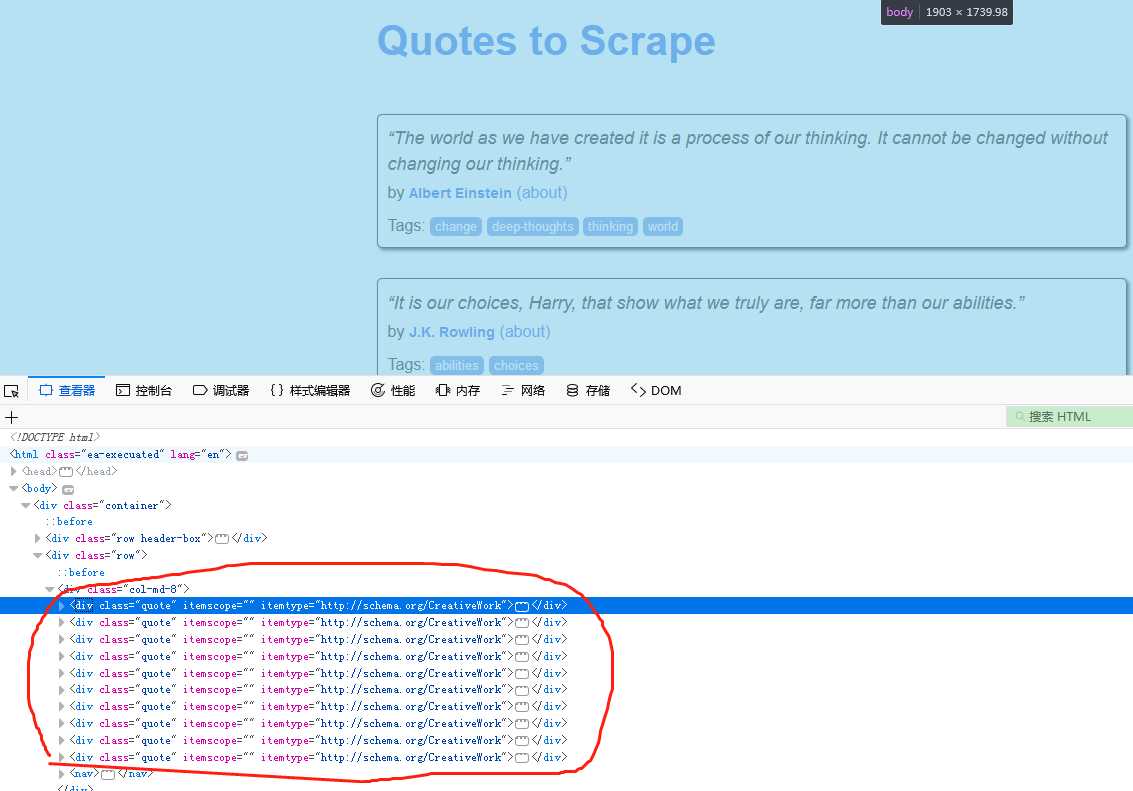
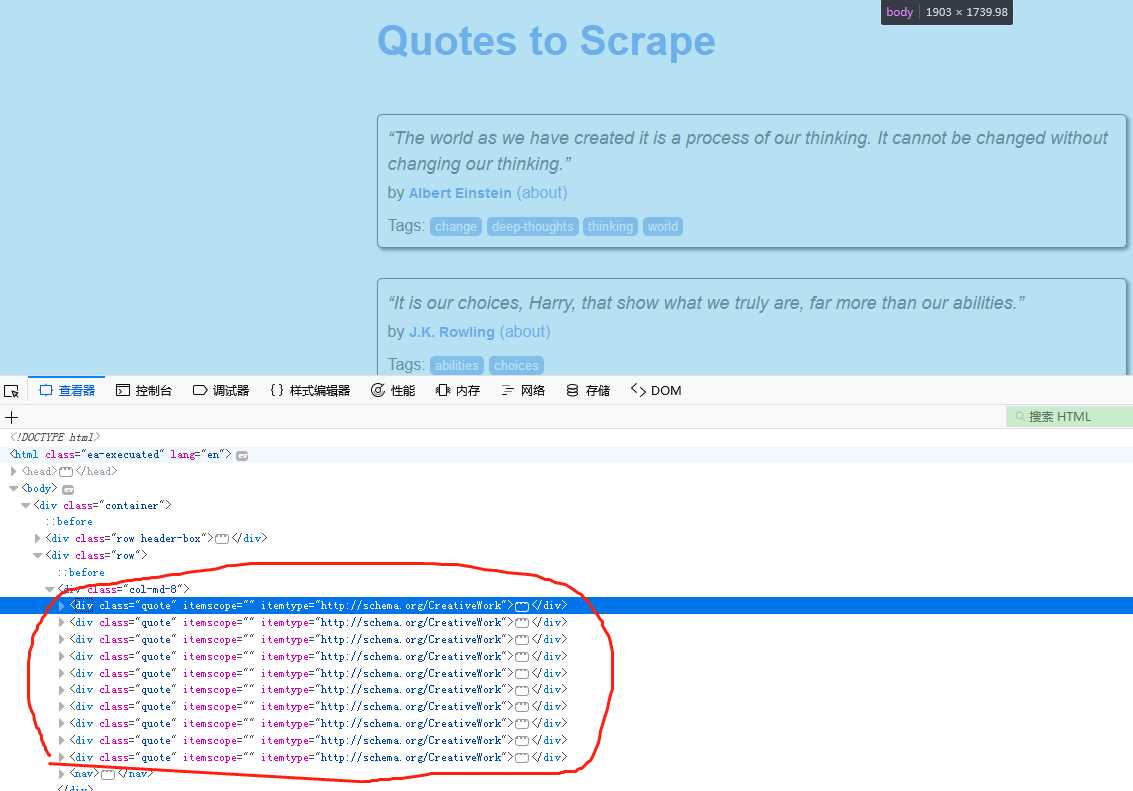
站点:http://quotes.toscrape.com
该站点网页结构比较简单,需要的数据都在div标签中
操作步骤:
1.创建项目
# scrapy startproject quotetutorial
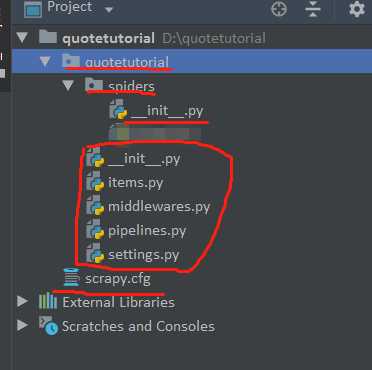
此时目录结构如下:
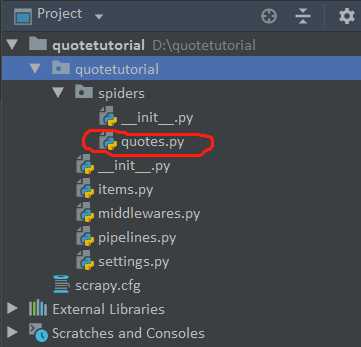
2.生成爬虫文件
# cd quotetutorial
# scrapy genspider quotes quotes.toscrape.com # 若是有多个爬虫多次操作该命令即可
3.编辑items.py文件,获取需要输出的数据
import scrapy class QuoteItem(scrapy.Item): # define the fields for your item here like:
    # name = scrapy.Field()
    text = scrapy.Field() author = scrapy.Field() tags = scrapy.Field()
4.编辑quotes.py文件,爬取网站数据
# -*- coding: utf-8 -*-
import scrapy from quotetutorial.items import QuoteItem class QuotesSpider(scrapy.Spider): name = ‘quotes‘ allowed_domains = [‘quotes.toscrape.com‘] start_urls = [‘http://quotes.toscrape.com/‘] def parse(self, response): # print(response.status) # 200
        quotes = response.css(‘.quote‘) for quote in quotes: item = QuoteItem() text = quote.css(‘.text::text‘).extract_first() author = quote.css(‘.author::text‘).extract_first() tags = quote.css(‘.tags .tag::text‘).extract() item[‘text‘] = text item[‘author‘] = author item[‘tags‘] = tags yield item next = response.css(‘.pager .next a::attr(href)‘).extract_first()  # 获取下一页的相对链接
        url = response.urljoin(next)  # 生成完整的下一页链接
        yield scrapy.Request(url=url, callback=self.parse)  # 把下一页的链接回调给自身再次请求
5.编写pipelines.py文件,进一步处理item数据,保存到mongodb数据库
# -*- coding: utf-8 -*-

# Define your item pipelines here # # Don‘t forget to add your pipeline to the ITEM_PIPELINES setting # See: https://doc.scrapy.org/en/latest/topics/item-pipeline.html

# 使用的话需要在settings文件中设置


import pymongo as pymongo from scrapy.exceptions import DropItem class TextPipeline(object): """对输出的item进行进一步的处理"""

    def __init__(self): self.limit = 50

    def process_item(self, item, spider): if item[‘text‘]: if len(item[‘text‘]) > self.limit: item[‘text‘] = item[‘text‘][0:self.limit].rstrip() + ‘......‘
            return item else: return DropItem(‘Missing Text!‘) class MongoPipeline(object): """把输出的item保存到MongoDB数据库"""

    def __init__(self, mongo_url, mongo_db): self.mongo_uri = mongo_url self.mongo_db = mongo_db @classmethod def from_crawler(cls, crawler): """从settings文件获取配置信息"""
        return cls( mongo_url=crawler.settings.get(‘MONGO_URI‘), mongo_db=crawler.settings.get(‘MONGO_DB‘) ) def open_spider(self, spider): """初始化mongodb""" self.client = pymongo.MongoClient(self.mongo_uri) self.db = self.client[self.mongo_db]  # 为啥用[],而不是()

    def process_item(self, item, spider): name = item.__class__.__name__  # 获取item的名称用作表名,也就是QuoteItem
        self.db[name].insert(dict(item))  # 为啥要用dict(item)
        return item def close_spider(self, spider): self.client.close()
6.编辑配置文件,增加mongodb数据库参数,以及使用的pipeline管道参数
ITEM_PIPELINES = { # ‘quotetutorial.pipelines.TextPipeline‘: 300,
   ‘quotetutorial.pipelines.MongoPipeline‘: 400, } MONGO_URI = ‘localhost‘ MONGO_DB = ‘quotestutorial‘
7.执行程序
# scrapy crawl quotes
8.保存到文件
# scrapy crawl quotes -o quotes.json # 保存成json文件
# scrapy crawl quotes -o quotes.csv # 保存成csv文件
# scrapy crawl quotes -o quotes.xml # 保存成xml文件
# scrapy crawl quotes -o quotes.jl # 保存成jl文件
# scrapy crawl quotes -o quotes.pickle # 保存成pickle文件
# scrapy crawl quotes -o quotes.marshal # 保存成marshal文件
# scrapy crawl quotes -o ftp://user:password@ftp.example.com/path/quotes.csv # 生成csv文件保存到远程FTP上
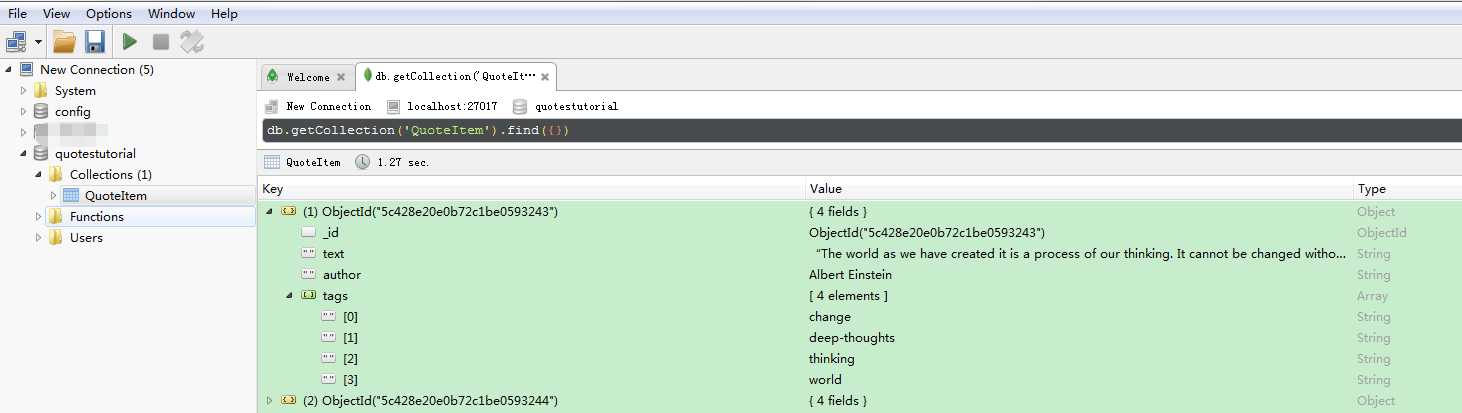
效果:
源码下载地址:https://files.cnblogs.com/files/sanduzxcvbnm/quotetutorial.7z