
windows安装配置ubuntu系统内置子系统
https://www.jianshu.com/p/6d6e629df051
使用xshell登录windows内置ubuntu子系统
https://www.jianshu.com/p/039411d2c1f6
这个参考中开机自启的方式失败,所有尝试另一种方法:
ubuntu的sshd设置开机自启,但是启动windows系统之后并未启动
设置windows 开机自启ubuntu的sshd
1、进入windows的启动目录
C:\ProgramData\Microsoft\Windows\Start Menu\Programs\StartUp
2、创建快捷方式文件
StartUbuntuSSH.exe
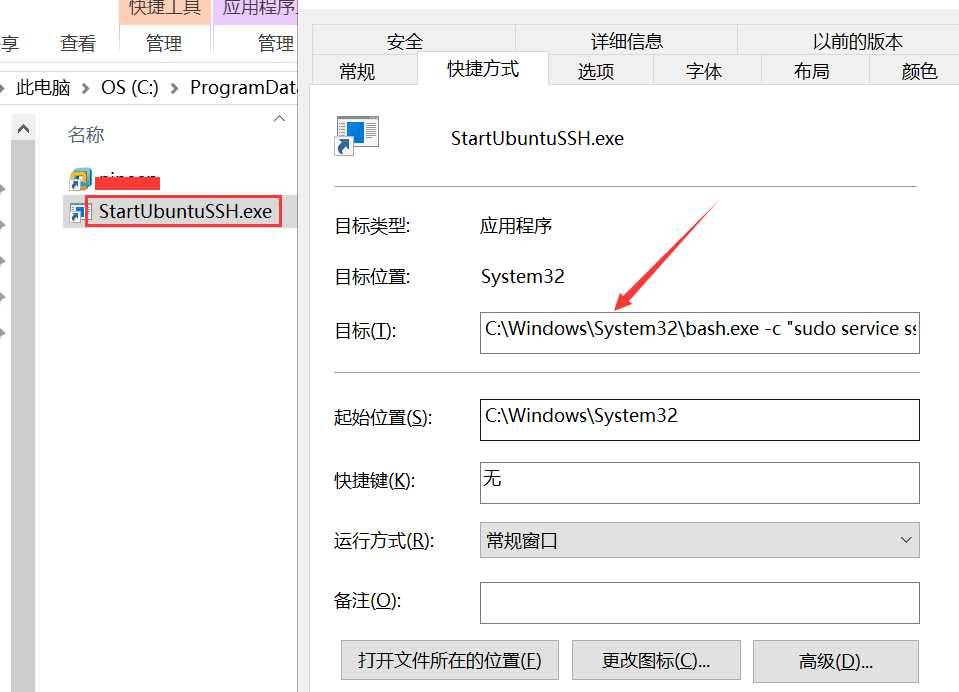
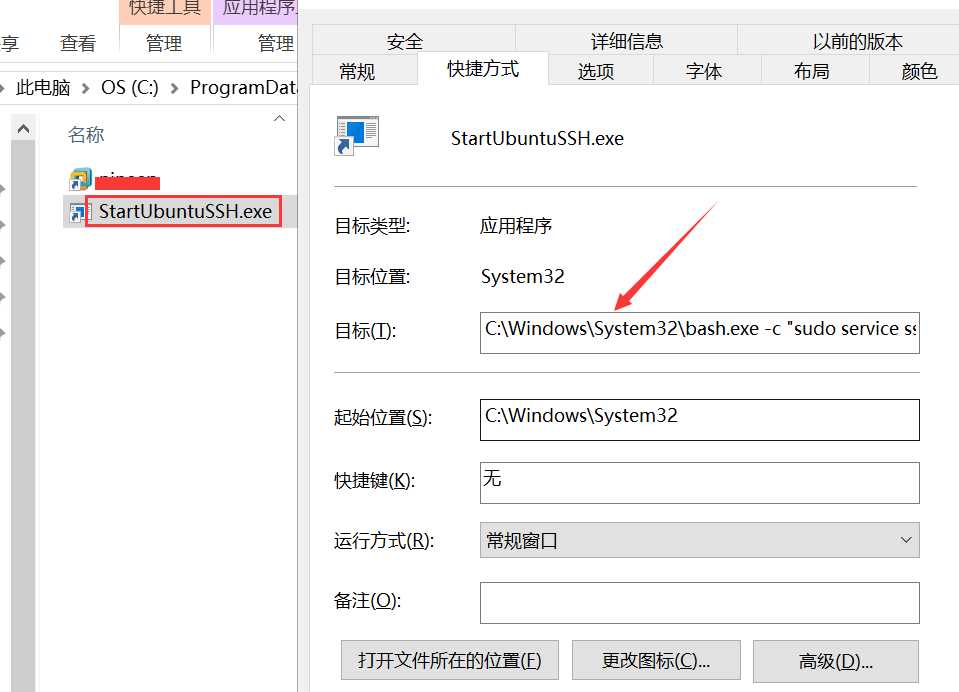
3、右键 StartUbuntuSSH.exe,属性中设置如下图
目标:C:\Windows\System32\bash.exe -c “sudo service ssh start”
运行方式: 最小化
4、重启windows,然后登录ubuntu
ssh root@127.0.0.0.1