
Pybind11算是目前最方便的Python调用C++的工具了, 介绍一下在vs2019上写Python的扩展的HelloWorld 1. 去下载pybind11
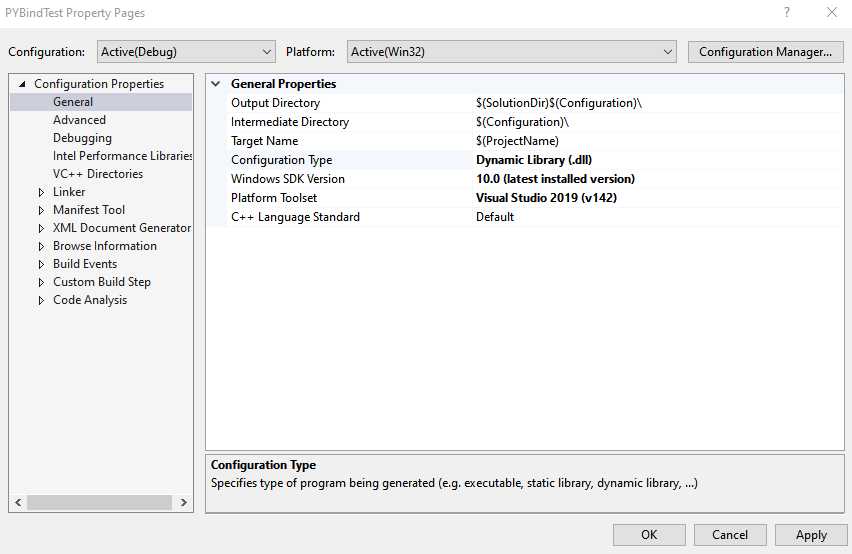
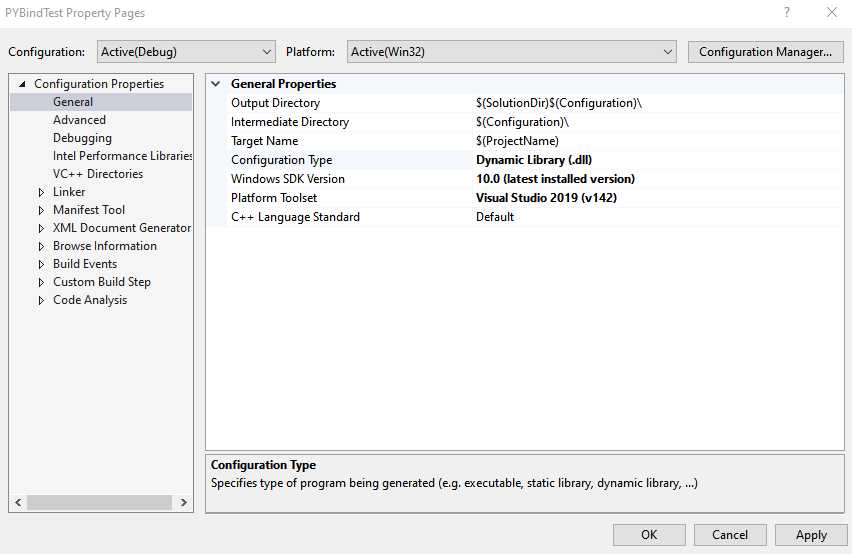
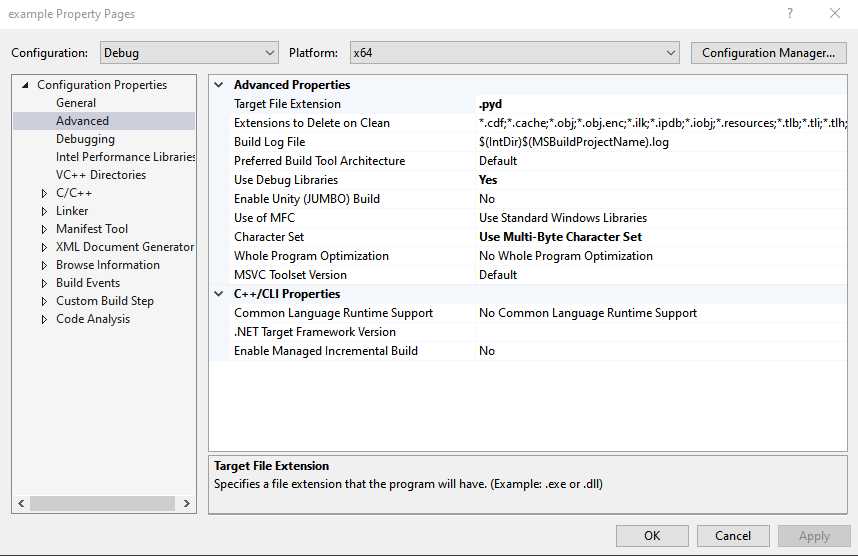
https://github.com/pybind/pybind11/releases/tag/v2.3.0 这个库只要include就可以了 2. 用vs新建一个空项目 2.1 调整输出类型为dll, 调整输出文件名为pyd
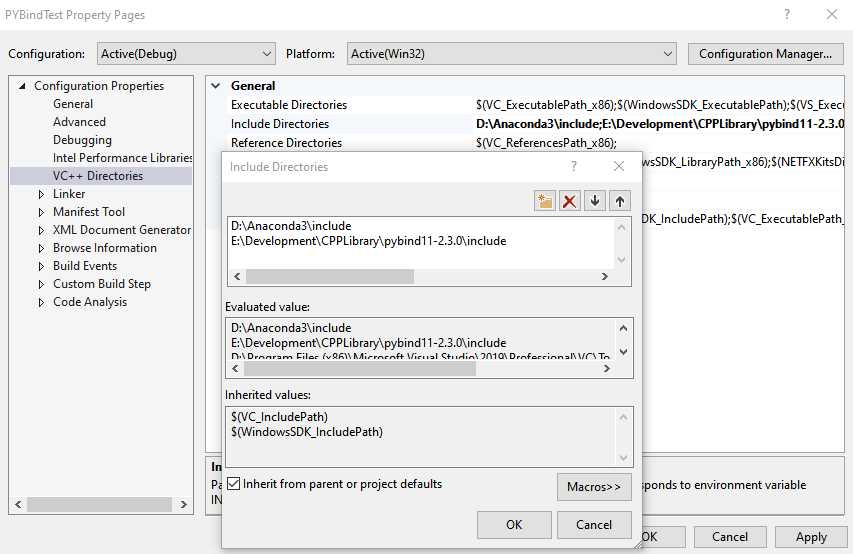
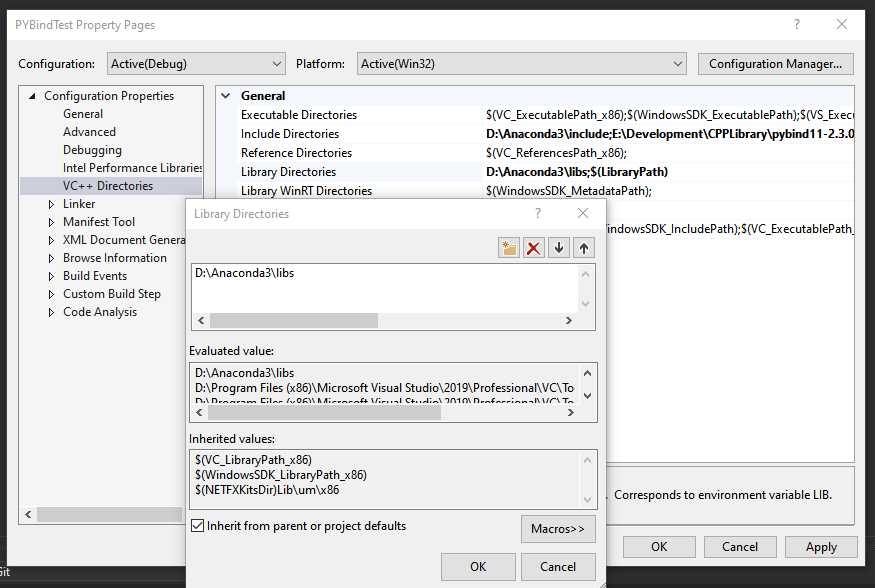
2.2 include python和pybind11的头文件, 我的python使用anaconda的全家桶
2.3 链接 python的lib
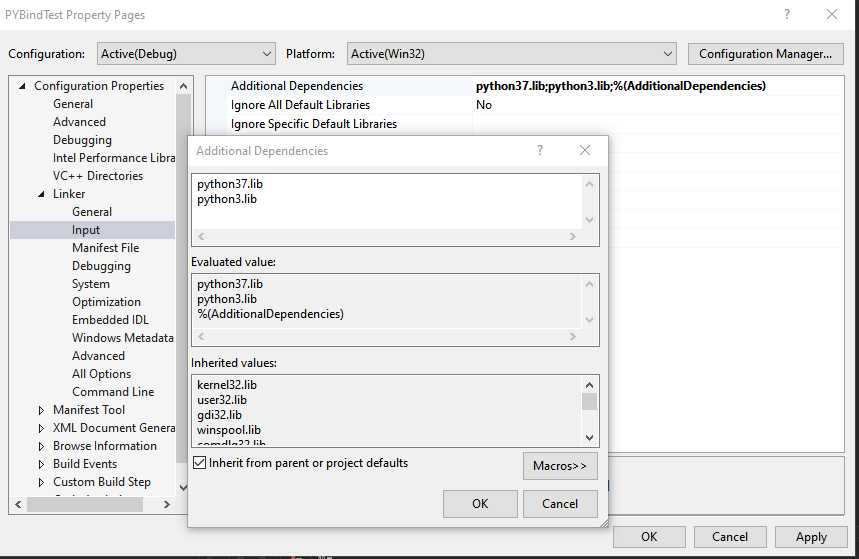
2.4 linker里添加python的lib
3. 代码示例: 有两种定义函数的方法, 一种是直接定义, 另一种比较简单就是 def(“函数名”,&函数的引用,”说明”) Pybind非常的简单, 几乎就不用修改C++的代码
#include <pybind11/pybind11.h>

namespace py = pybind11;

int chufa(int a, int b)
{
    return a / b;
}

PYBIND11_MODULE(example, m) {
    m.doc() = "....";
    m.def("foo", []() {
        return "Hello world!";
        });
    m.def("chufa", &chufa, "just chufa");
}
4. build 得到pyd文件
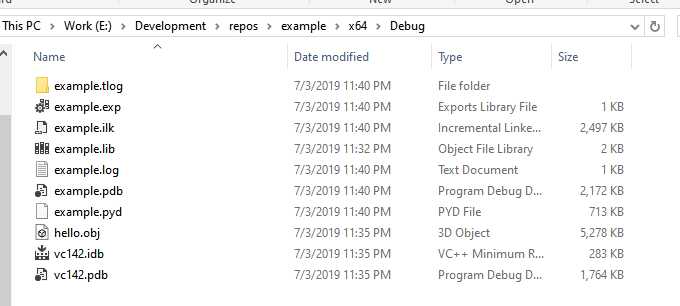
 在python中直接import就可以了… 5. 坑: 1. 要注意编译出来的是64位还是32位的包, 建议全部在64位下编译, 否则可能会报错: ImportError: DLL load failed: %1 is not a valid Win32 application. But the DLL‘s are there 2. pyd的文件名要和包名一致, 如果输出的pyd文件名称不对需要手动改过来, 否则会报错误: ImportError: dynamic module does not define module export function