AndroidStudio中如何搭建码云

第一步:注册码云和基础信息设置
码云官网:https://gitee.com/
1、注册码云,按照流程来,这里不做说明了

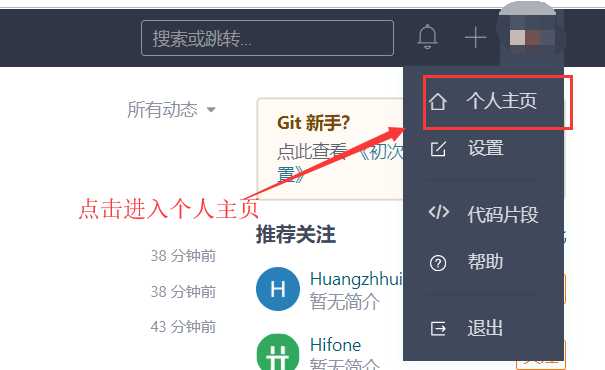
2、进入个人主页
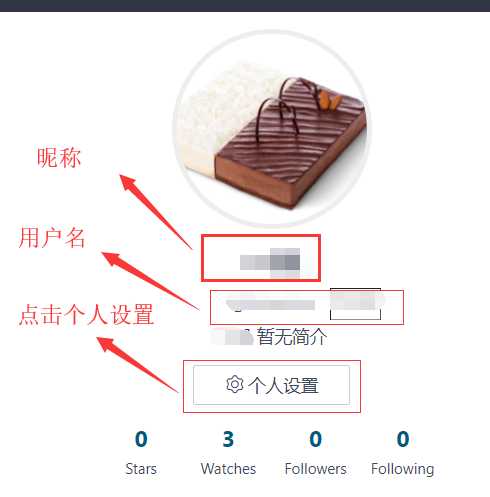
3、点击个人设置
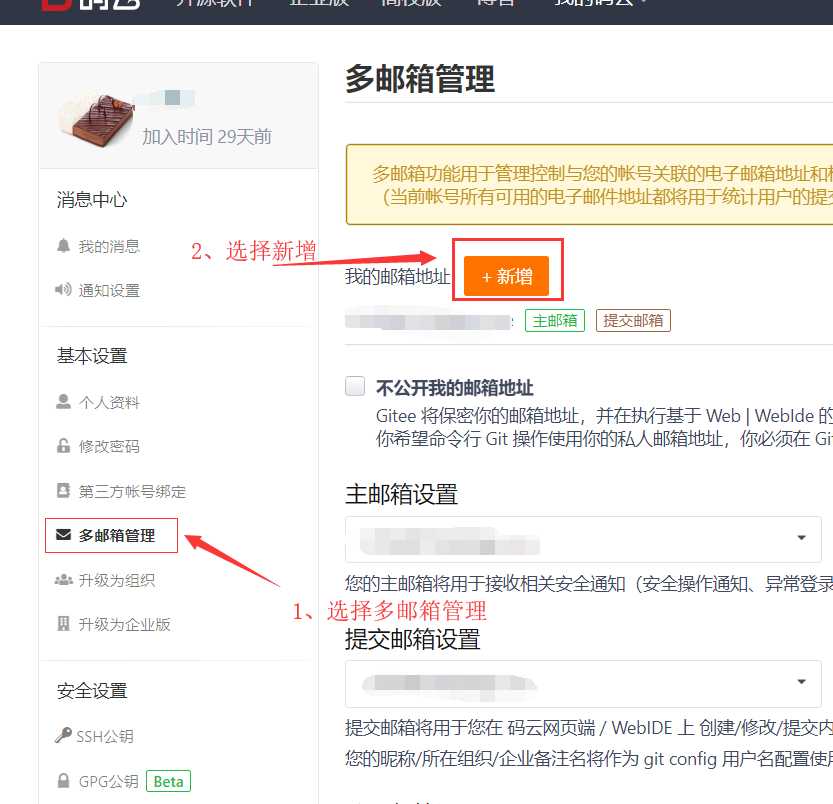
4、设置邮箱
第二步:下载git软件
下载地址:https://www.git-scm.com/download/
1、安装git软件
然后一路next就可以了
2、点击git bash启动程序
3、设置用户名和邮箱【注意不要输入昵称】
git config --global user.name  "username"
git config --global user.email  "email"
4、查看用户名和邮箱是否配置成功‘
git config --global user.name
git config --global user.email
第三步:AndroidStudio配置git
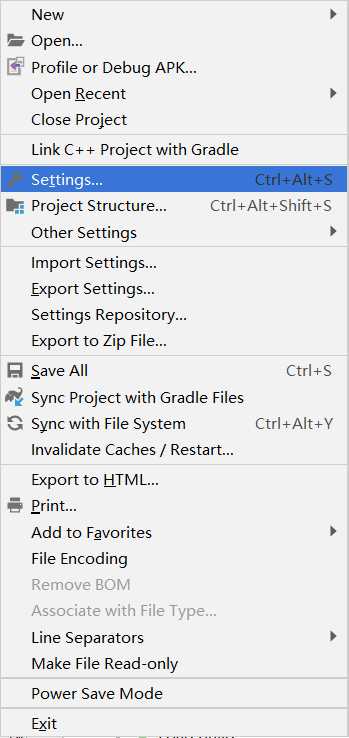
1、File-------Setting--------搜索git
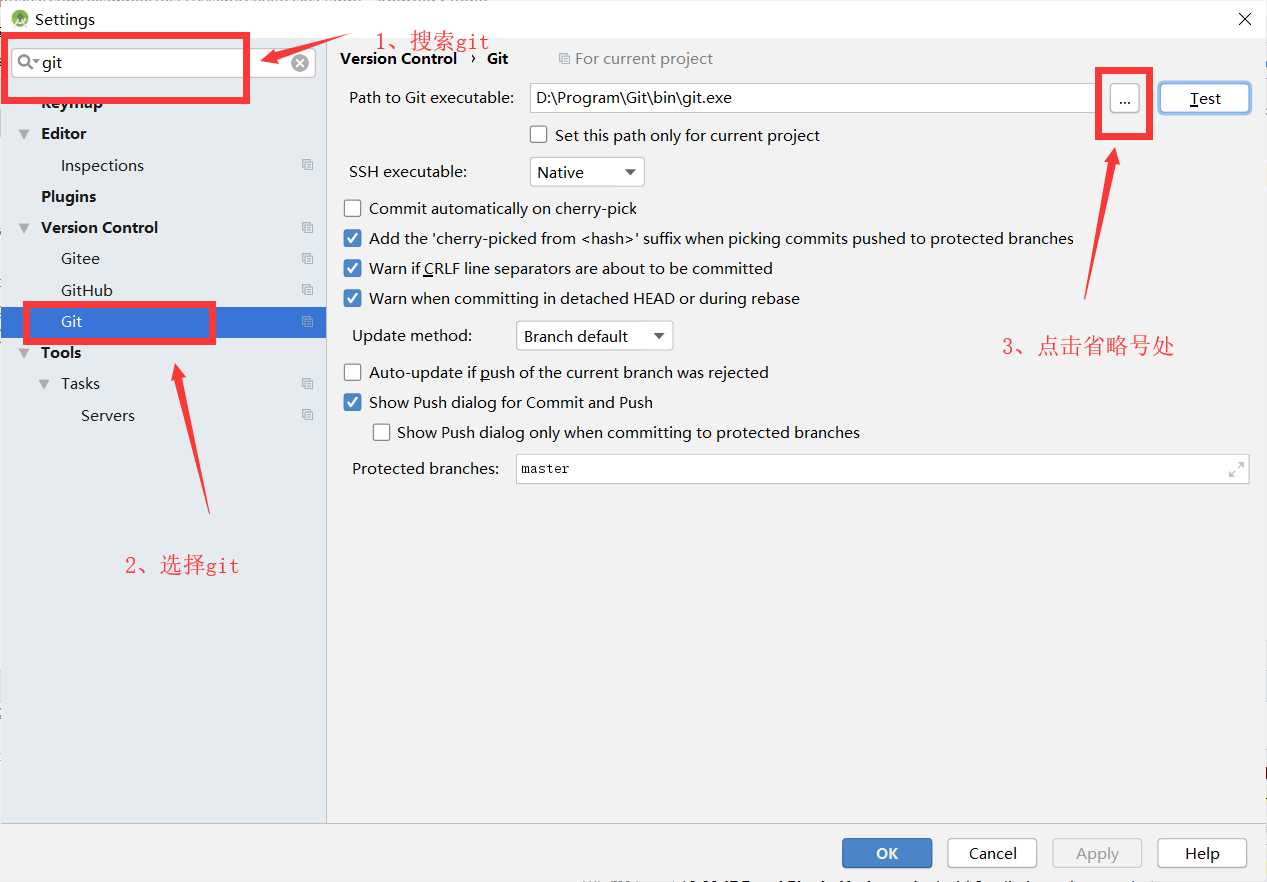
2、搜索git------选择git------选择省略号
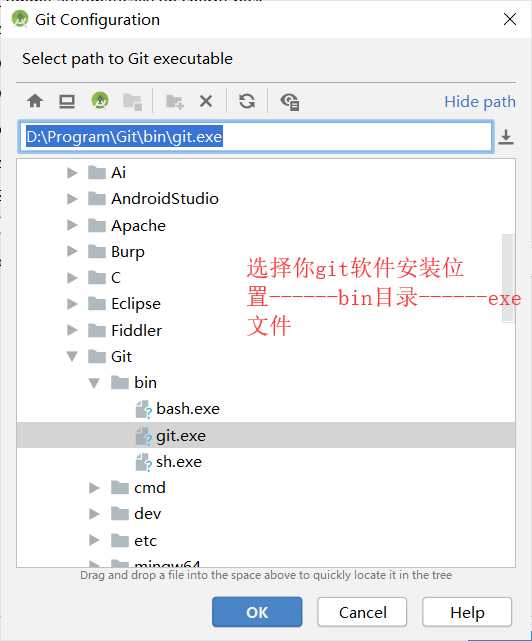
3、选择git安装目录下的exe文件
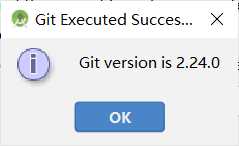
4、点击test,查看是否配置成功,成功会提醒一个有success的弹出框
第四步:AndroidStudio安装码云插件
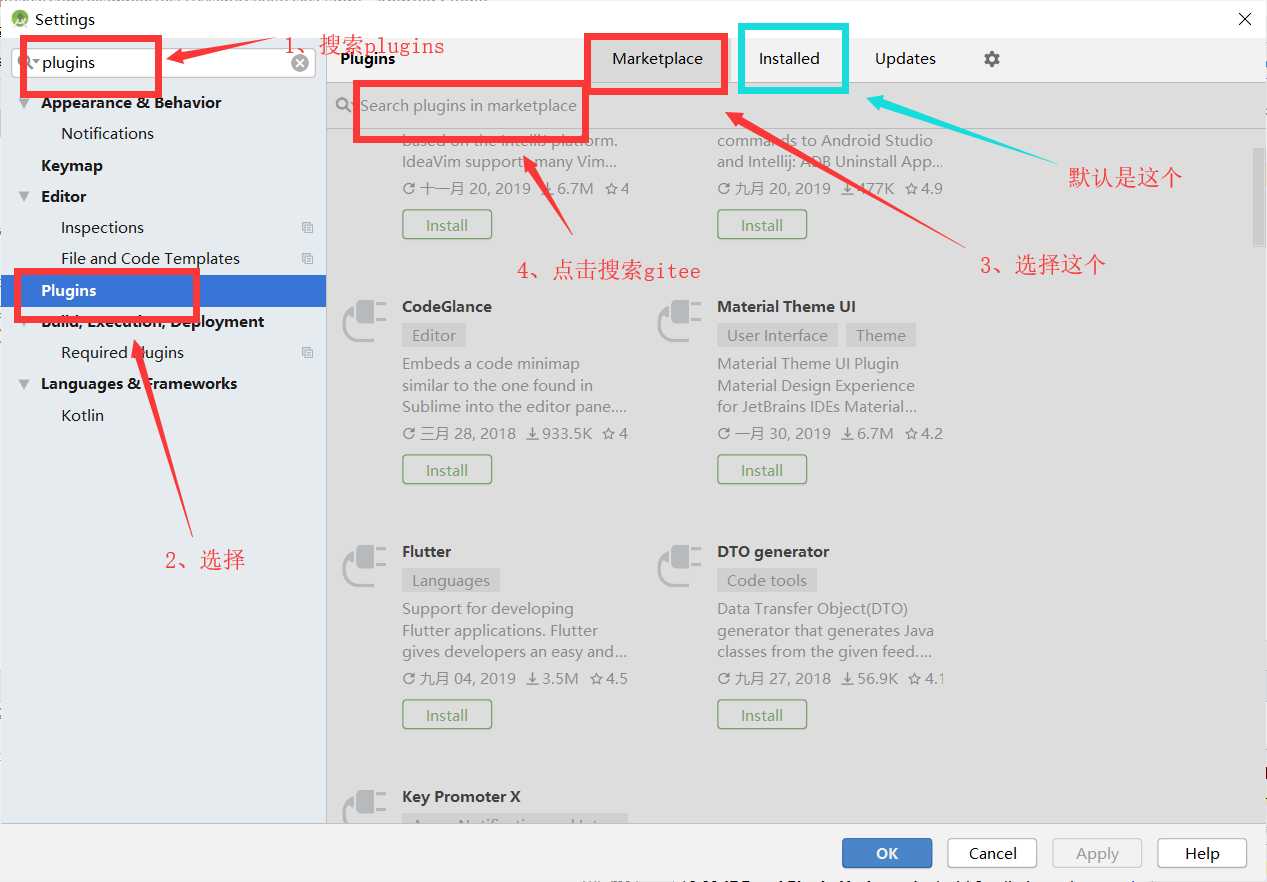
1、File-------Setting--------搜索plugins
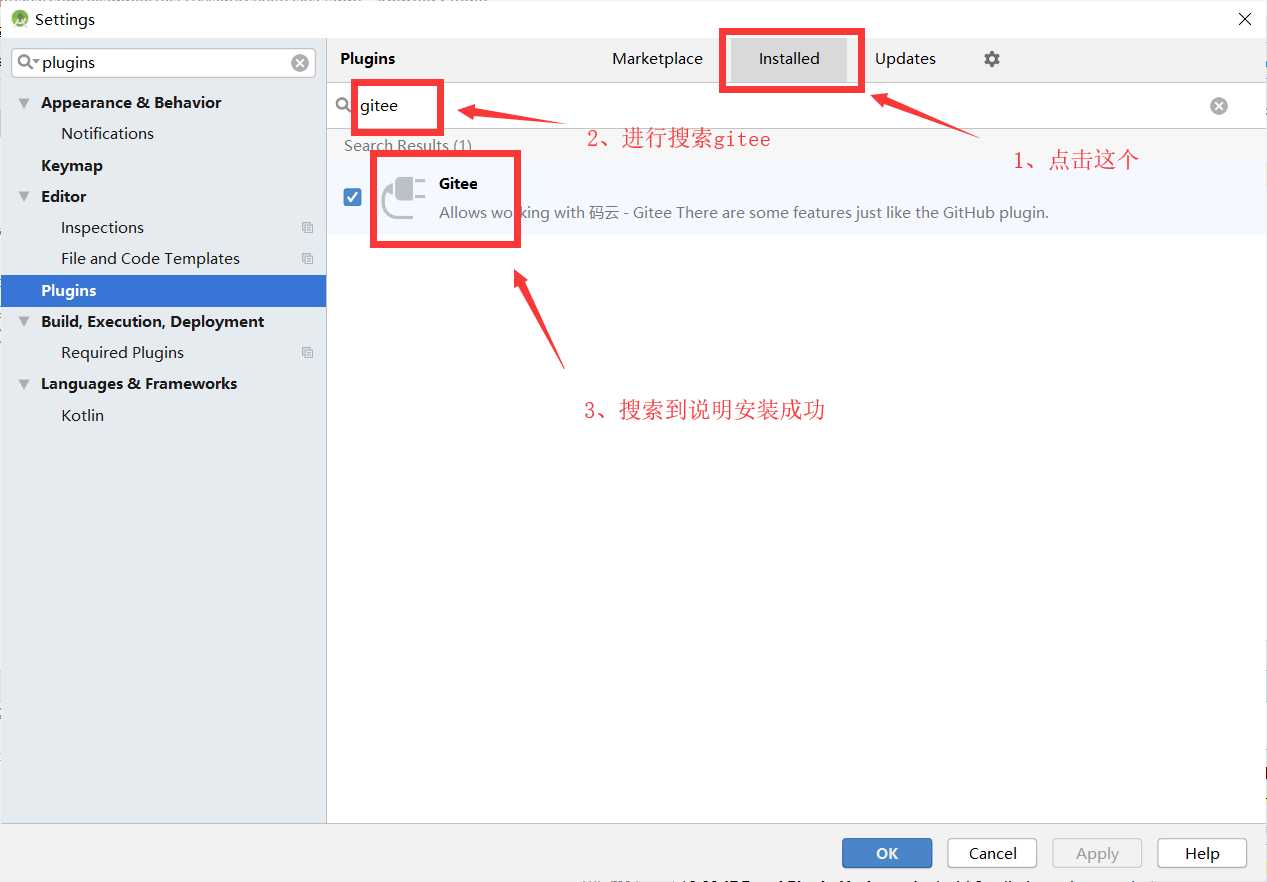
2、搜索plugins------选择marketplace------搜索gitee---点击install
2、查看是否安装成功
第五步:将项目托管到码云上
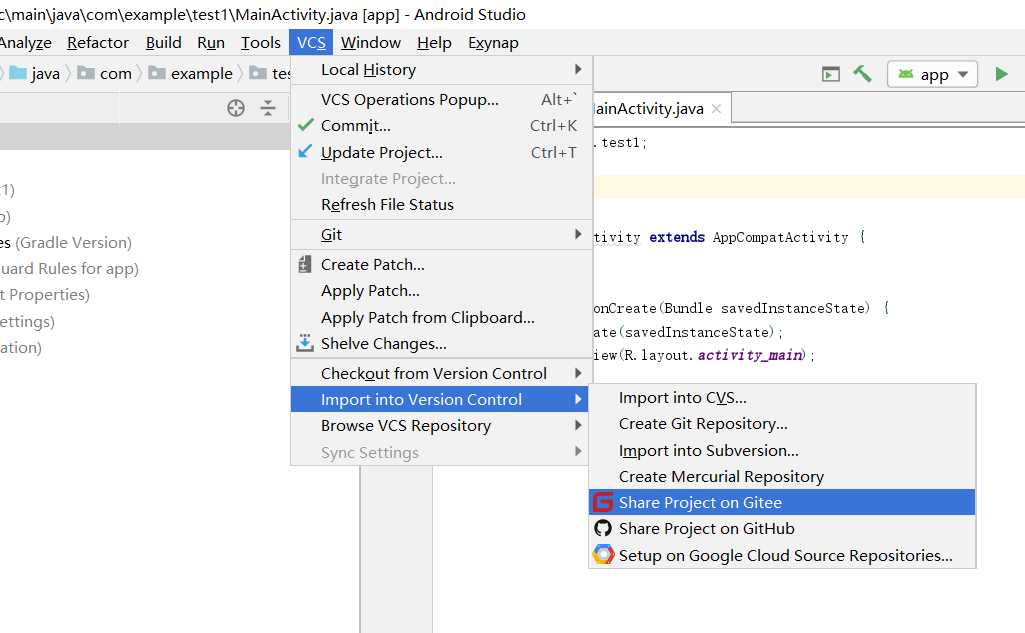
1、选择VCS-----import into Version Control -------Share Project on Gitee
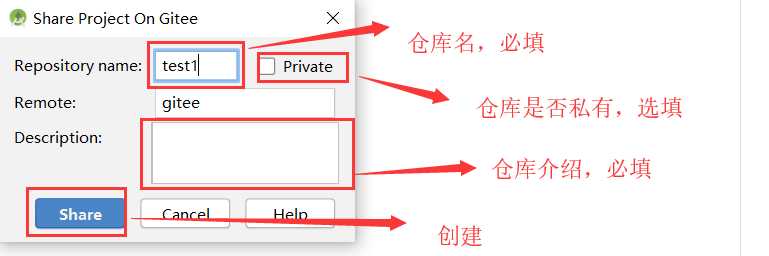
2、创建仓库
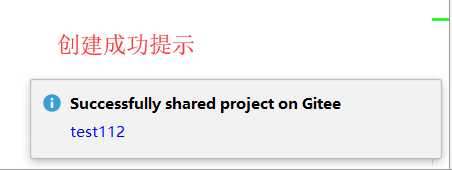
3、创建成功提示
第六步:AndroidStudio下载码云项目
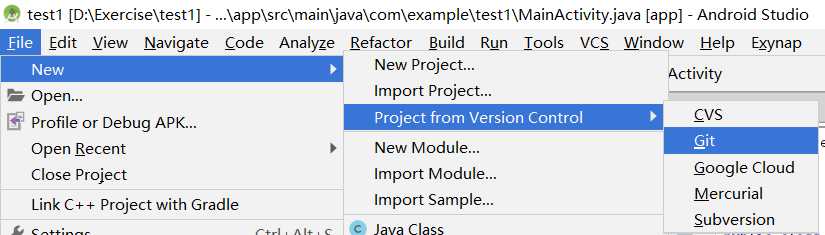
1、File------New---------Project from Version Control------git
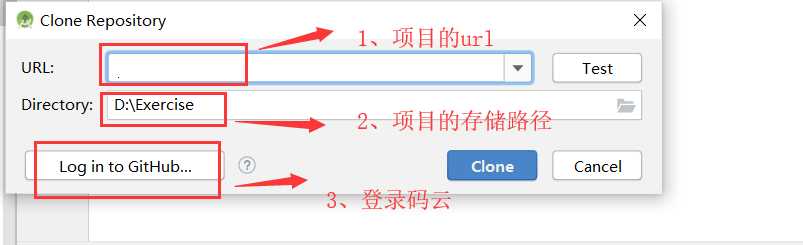
2、填写下载项目的Url、文件下载后的存放路径和登录码云
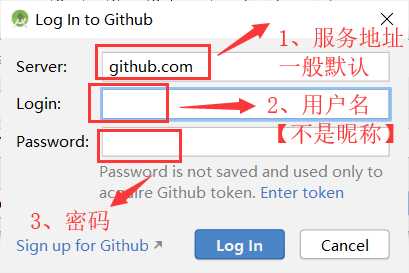
3、登录
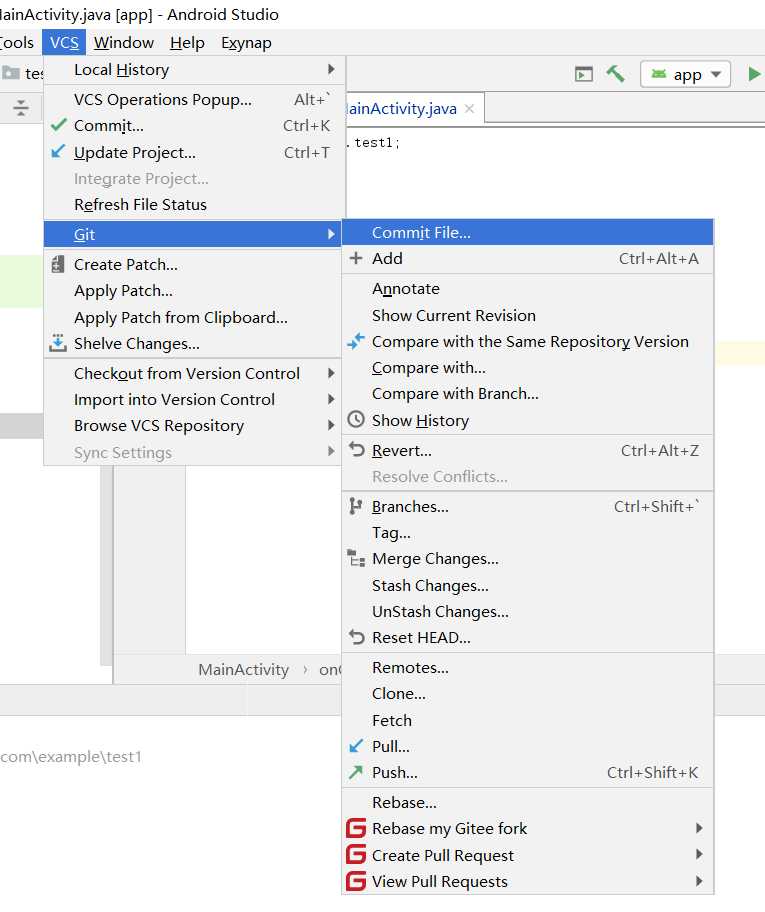
第六步:AndroidStudio更新码云项目
1、VCS------Git--------Commjt File
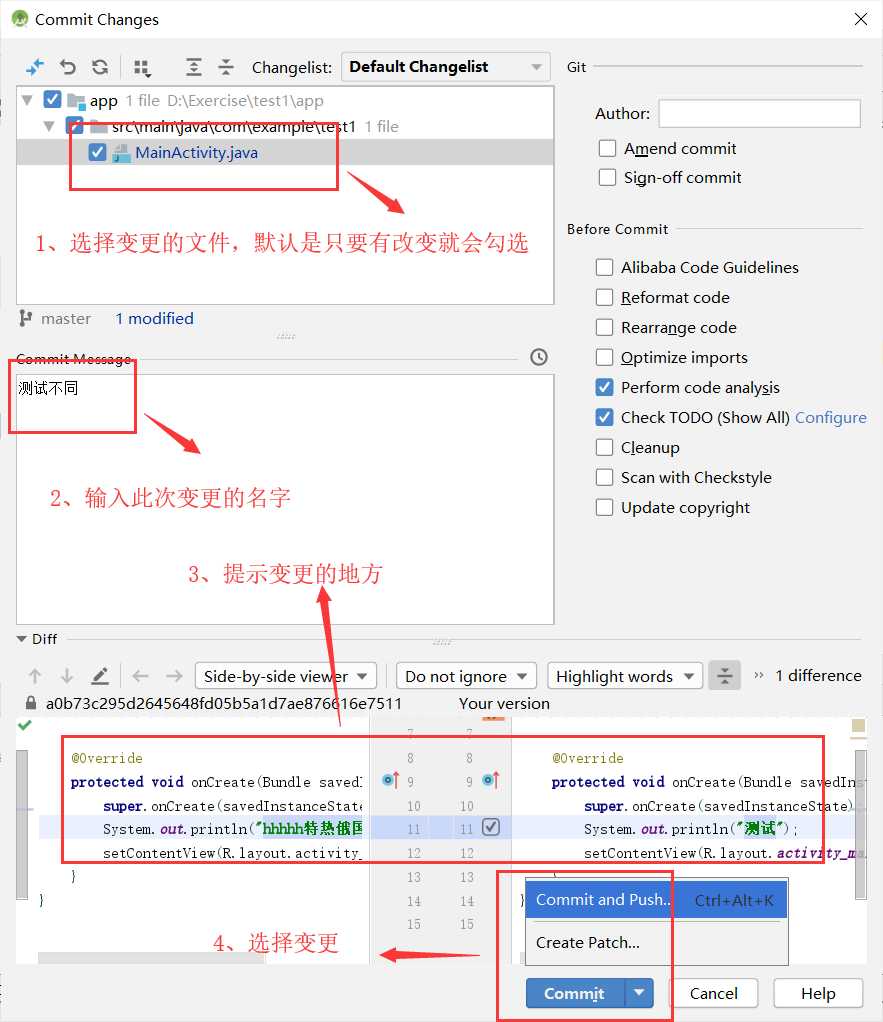
2、选择变更的文件
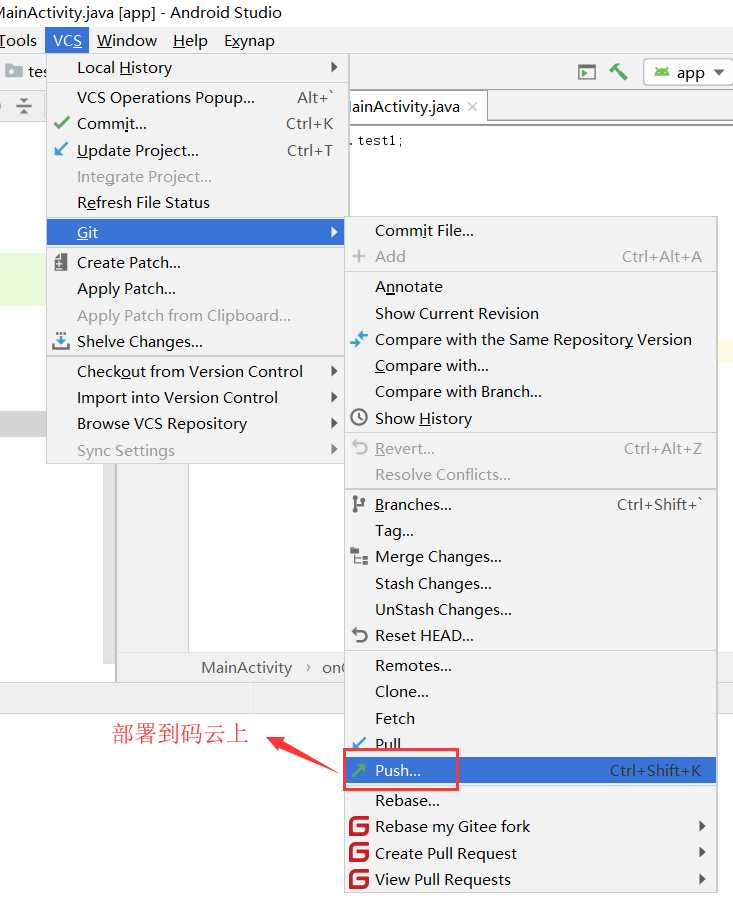
3、部署到git上:VCS--Git---Push




最新文章
-

QQ云盘断点续传技巧
2026-10-20 -
QQ云盘极速下载方法
2026-10-20 -
QQ云盘离线下载功能
2026-10-20 -
QQ云盘秒传功能使用
2026-10-20 -
QQ云盘会员加速下载
2026-10-20 -
巧用QQ云盘批量管理文件,告别零散整理低效难题
2026-10-20 -
QQ云盘历史版本恢复,找回误改丢失文件的实用指南
2026-10-20 -
QQ云盘文件预览功能
2026-10-20
热门文章
-

微信小程序 - 事件绑定bind和catch 区别
2026-07-04 -

ios微信分享的兼容性问题
2026-07-04 -

微信浏览器中禁止app下载链接的两种处理方法
2026-07-04 -

7-STM32物联网开发WIFI(ESP8266)+GPRS(Air202)系统方案微信小程序篇(微信配网_申请微信公众号)
2026-07-04 -

【php】PHP制作QQ微信支付宝三合一收款码
2026-07-04 -

从微信中跳到外部浏览器
2026-07-04 -

10-STM32物联网开发WIFI(ESP8266)+GPRS(Air202)系统方案微信小程序篇(微信配网配置_Airkiss步骤_1)
2026-07-04 -

9-STM32物联网开发WIFI(ESP8266)+GPRS(Air202)系统方案微信小程序篇(微信配网配置_开发者基本配置_2)
2026-07-04