html2canvas-html图片合成-canvas生成图片

作用
- html2canvas可以通过纯JS对浏览器端经行截屏,但截图的精确度还有待提高,部分css不可识别,所以在canvas中不能完美呈现原画面样式
支持的浏览器
- Firefox 3.5+
- Google Chrome
- Opera 12+
- IE9+
- Safari 6+
基本语法
 //两个参数:所需要截图的元素id,截图后要执行的函数, canvas为截图后返回的最后一个canvas
 html2canvas(document.getElementById(‘id‘)).then(function(canvas) {document.body.appendChild(canvas);});
可用参数
| 参数名称 | 类型 | 默认值 | 描述 |
|---|---|---|---|
| allowTaint | boolean | false | Whether to allow cross-origin images to taint the canvas---允许跨域 |
| background | string | #fff | Canvas background color, if none is specified in DOM. Set undefined for transparent---canvas的背景颜色,如果没有设定默认透明 |
| height | number | null | Define the heigt of the canvas in pixels. If null, renders with full height of the window.---canvas高度设定 |
| letterRendering | boolean | false | Whether to render each letter seperately. Necessary if letter-spacing is used.---在设置了字间距的时候有用 |
| logging | boolean | false | Whether to log events in the console.---在console.log()中输出信息 |
| proxy | string | undefined | Url to the proxy which is to be used for loading cross-origin images. If left empty, cross-origin images won‘t be loaded.---代理地址 |
| taintTest | boolean | true | Whether to test each image if it taints the canvas before drawing them---是否在渲染前测试图片 |
| timeout | number | 0 | Timeout for loading images, in milliseconds. Setting it to 0 will result in no timeout.---图片加载延迟,默认延迟为0,单位毫秒 |
| width | number | null | Define the width of the canvas in pixels. If null, renders with full width of the window.---canvas宽度 |
| useCORS | boolean | false | Whether to attempt to load cross-origin images as CORS served, before reverting back to proxy--这个我也不知道是干嘛的 |
请服搭务器环境查看
生成后:
html生成canvas canvas.toDataURL 生成base64图片
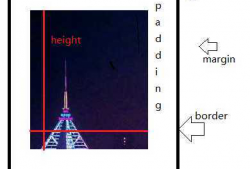
底部4个小图,由于跨域,2个无法生成,设置允许跨域的图是可以生成的。
    html2canvas(document.getElementById(‘htmlDom‘), {
        useCORS:true,//设置该属性,图片请求头带Access-Control-Allow-Origin: * 的可以生成,图片请求如有带301跳转,则无法生成
        onrendered: function(canvas) {
            window.can = canvas;
            console.log(canvas);
            $("#tarPic").attr("src",canvas.toDataURL())
            document.body.appendChild(canvas);
            },
    // width: 300,
    // height: 300
    });
示例代码:https://files.cnblogs.com/files/zhidong123/htmlToCanvas.rar
https://github.com/zhidong10/solutions/tree/master/htmlToCanvas



最新文章
-

怎样彻底拉黑删除微信好友
2026-10-13 -

怎样将电脑Word文档发送到微信
2026-10-13 -

怎样在手机上编辑word文档插图
2026-10-13 -

怎样在word文档中制作表格发到微信上就没表格了呢
2026-10-13 -

怎样加回拉黑删除的微信好友
2026-10-13 -

怎样判断微信好友是拉黑还是删除
2026-10-13 -

怎把拉黑的微信好友找回来
2026-10-13 -

怎么验证微信好友把我删除与拉黑
2026-10-13
热门文章
-

微信小程序 - 事件绑定bind和catch 区别
2026-07-04 -

【php】PHP制作QQ微信支付宝三合一收款码
2026-07-04 -

ios微信分享的兼容性问题
2026-07-04 -

9-STM32物联网开发WIFI(ESP8266)+GPRS(Air202)系统方案微信小程序篇(微信配网配置_开发者基本配置_2)
2026-07-04 -
APP与小程序的优劣分析
2026-07-04 -

10-STM32物联网开发WIFI(ESP8266)+GPRS(Air202)系统方案微信小程序篇(微信配网配置_Airkiss步骤_1)
2026-07-04 -

微信浏览器中禁止app下载链接的两种处理方法
2026-07-04 -

7-STM32物联网开发WIFI(ESP8266)+GPRS(Air202)系统方案微信小程序篇(微信配网_申请微信公众号)
2026-07-04