.net 水晶报表使用两种方式

2014-7-29
近来在完成深圳一公司的项目,对方对各方面要求相当严格,一不满意就拒绝签收,为了对修正水晶报表显示及导出的一些小问题,无赖之下,仔细了解一下水晶报表的操作方法,逼苦我们这些苦逼的程序,虽说在以前的项目中,也常使用crystal report 来制作报表。并且针对web与winform 都各有不同的地方。
但总的来讲:显示水晶报表目前使用控件对象的有两种显示方式
1. 使用crystalReportViewer1 来显示报表
2. 使用Crystal ActiveX report viewer 来显示报表
在使用前,先废话一下有关水晶报表的一些版本的问题:
1. 我接触的第一个是7.0的版本。有一些vb程序的程序都在使用这个版本的报表
2. 后来使用上.net开发工具后,直接升到了crystal report 9.0。
3. Vs 2008 内置了10.5的水晶报表。但这个版本在官方是没有的。
因此我制作报表时仍使用的是为10.0
4. 后来水晶报表先后推出了11 2008,现到13,14
5. 最后想说的,这中间sap收购了水晶报表,现查找技术文档只能在sap网站上查找了。
接下来。废话就不多讲了,将我们使用的代码贴出来供大家参考,发扬互联网的共享精神。让苦逼的程序猿们也少走点冤枉路了。
开发环境:vs 2008+crystal report 10
使用crystalReportViewer1 来显示报表
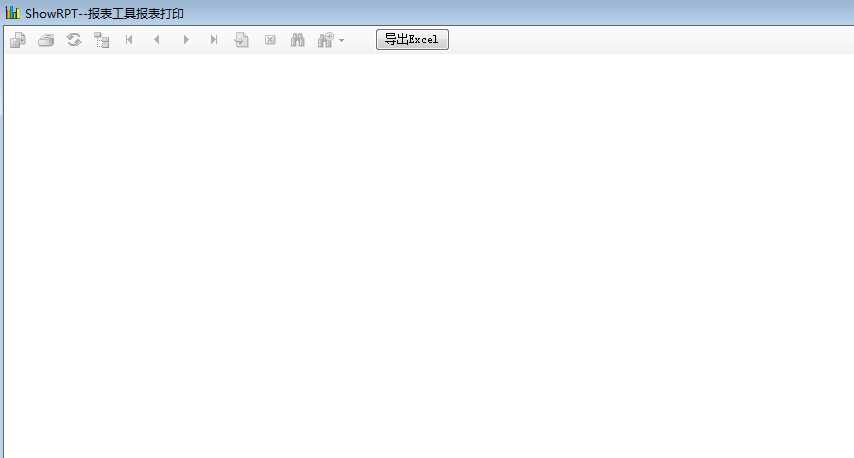
 1 public partial class ShowRPT : Form
2 {
3 private XOS.Admin.ShowForm pParentWin = null;
4 protected string FileState = "";
5 WinBase.Common W1 = new WinBase.Common();
6 //这里必须事先申明一个ReportDocument对象 Report,同时加载数据报表
7 ReportDocument oRpt = new ReportDocument();
8 public ShowRPT(XOS.Admin.ShowForm WinMain)
9 {
10 InitializeComponent();
11 pParentWin = WinMain;
12 }
13
14 private void ShowRPT_Load(object sender, EventArgs e)
15 {
16 ShowForm form1 = Application.OpenForms["ShowForm"] as ShowForm;
17 TableLogOnInfo logOnInfo = new TableLogOnInfo();
18 ReplaceExportButton();//新增一个工具栏自定义导出excel
19
20 try
21 {
22 string strg = pParentWin.ReportPath + "\\" + pParentWin.ReportName;
23 oRpt.Load(strg);
24 FileState = "YES";
25 }
26 catch (System.Exception err)
27 {
28 FileState = "NO";
29 MessageBox.Show(err.Message, "错误提示:读取报表文件错误", MessageBoxButtons.OK, MessageBoxIcon.Error);
30
31 //return;
32
33 }
34 if (FileState == "YES")
35 {
36 logOnInfo.ConnectionInfo.ServerName = W1.LoadXmlFileValue("config.xml", "Sys", "HostName");
37 logOnInfo.ConnectionInfo.DatabaseName = W1.LoadXmlFileValue("config.xml", "Sys", "DataBase");
38 logOnInfo.ConnectionInfo.UserID = W1.Decrypt(W1.LoadXmlFileValue("config.xml", "Sys", "User"));
39 logOnInfo.ConnectionInfo.Password = W1.Decrypt(W1.LoadXmlFileValue("config.xml", "Sys", "Password"));
40 oRpt.Database.Tables[0].ApplyLogOnInfo(logOnInfo);
41 //建立.rpt文件与CryStalReportviewer文件之间的连接
42 //参数
43 try
44 {
45 DataSet ds = new DataSet();
46 string _strSql = "SELECT P.*,RP.* FROM ReportParameter RP,Report P where RP.ReportName=P.ReportName AND P.ReportName=‘" + pParentWin.ReportName + "‘ order by RP.ID ";
47 ds = W1.DS(_strSql, "Sys");
48 //动态修WinForm的Text[Report表中ReportDescription]
49 this.Text = this.Text + ds.Tables[0].Rows[0]["ReportName"].ToString() + " " + ds.Tables[0].Rows[0]["ReportDescription"].ToString();
50 for (int i = 0; i < ds.Tables[0].Rows.Count; i++)
51 {
52 oRpt.SetParameterValue(i, form1.str[i]);
53
54 }
55 }
56 catch (System.Exception err)
57 {
58 FileState = "NO";
59 MessageBox.Show(err.Message, "错误提示:读取报表参数错误", MessageBoxButtons.OK, MessageBoxIcon.Error);
60 //return;
61
62 }
63 ParameterFields parameterFields = crystalReportViewer1.ParameterFieldInfo;
64 crystalReportViewer1.ReportSource = oRpt;
65 crystalReportViewer1.ShowRefreshButton = false;
66
67 }
68 }
69
70 private void btnExportExcel_Click(object sender, EventArgs e)
71 {
72
73 // 声明变量并获取导出选项。
74 ExportOptions exportOpts = new ExportOptions();
75 ExcelFormatOptions excelFormatOpts = new ExcelFormatOptions();
76 DiskFileDestinationOptions diskOpts = new DiskFileDestinationOptions();
77 exportOpts = oRpt.ExportOptions;
78 // 设置 Excel 格式选项。
79 excelFormatOpts.ExcelUseConstantColumnWidth = true;
80 exportOpts.ExportFormatType = ExportFormatType.Excel;
81 exportOpts.FormatOptions = excelFormatOpts;
82
83 // 设置磁盘文件选项并导出。
84 exportOpts.ExportDestinationType = ExportDestinationType.DiskFile;
85 SaveFileDialog sf = new SaveFileDialog();
86 string FileName ="";
87 sf.Filter = "Microsoft Excel(*.xls)|*.xls" ;
88 // ……
89
90 /* sf.DefaultExt = "rtf";
91 * 这么设起不了作用,还不知道原因何在
92 * 所以只好手动调整顺序 */
93
94 //用sf.FilterIndex调整
95
96 if (DialogResult.OK == sf.ShowDialog())
97 {
98 FileName = sf.FileName;
99 diskOpts.DiskFileName = FileName;
100 exportOpts.DestinationOptions = diskOpts;
101 try
102 {
103 oRpt.Export();
104 MessageBox.Show("导出excel成功!" + diskOpts.DiskFileName, "成功提示", MessageBoxButtons.OK, MessageBoxIcon.Information);
105
106 }
107 catch (System.Exception err)
108 {
109 MessageBox.Show(err.Message, "错误提示:导出excel失败", MessageBoxButtons.OK, MessageBoxIcon.Error);
110 }
111 }
112 }
113 //核心
114 private void ReplaceExportButton()
115 {
116 //遍历crystalReportViewer1控件里的控件
117 foreach (object ctl in crystalReportViewer1.Controls)
118 {
119 //取得控件名称
120 string sControl = ctl.GetType().Name.ToString().ToLower();
121 //取得工具条
122 if (sControl == "toolstrip")
123 {
124 ToolStrip tab1 = (ToolStrip)ctl;
125 //遍历工具条Item
126 for (int i = 0; i <= tab1.Items.Count - 1; i++)
127 {
128 //MessageBox.Show(tab1.Items[i].ToolTipText);
129 //如果是导出按钮
130 if (tab1.Items[i].ToolTipText == "导出报表" || tab1.Items[i].ToolTipText == "Export Report")
131 {
132 //先创建一个ToolStripButton准备替代现有Button
133 ToolStripButton tbutton = new ToolStripButton();
134 //获取原导出按钮的按钮图片
135 Image img1 = tab1.Items[i].Image;
136 //移除原导出按钮
137 //tab1.Items.Remove(tab1.Items[i]);
138 //设置新button属性
139 tbutton.Image = img1;
140 tbutton.ToolTipText = "自定义导出Execl报表按钮";
141 //在原位置上插入新Button
142 tab1.Items.Insert(12,tbutton);
143
144 //绑定自定义事件
145 tbutton.Click += new System.EventHandler(this.btnExportExcel_Click);
146 break;
147 }
148
149 }
150 }
151
152 }
153 }
154
155
156 }
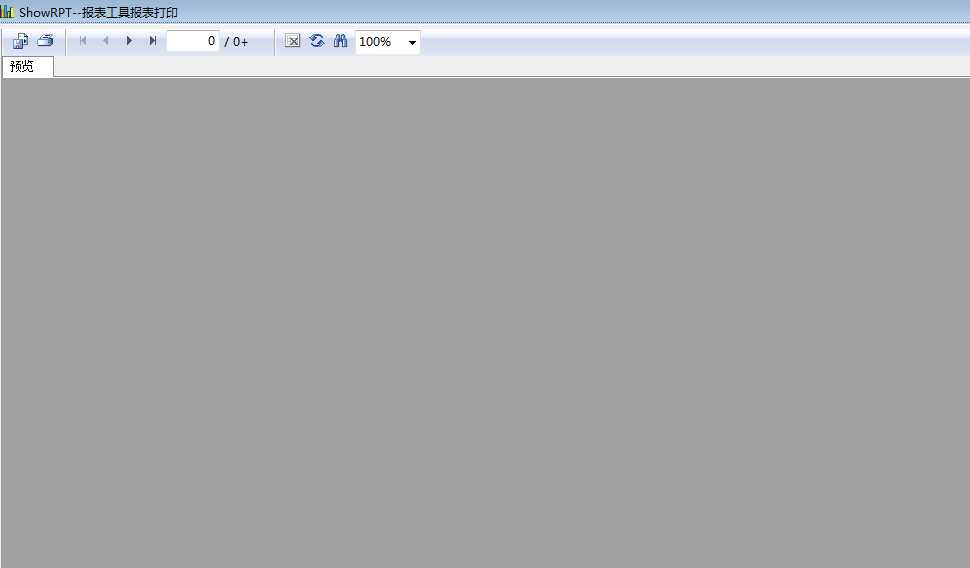
1 public partial class ShowRPT2 : Form
2 {
3 private XOS.Admin.ShowForm pParentWin = null;
4 protected string FileState = "";
5 WinBase.Common W1 = new WinBase.Common();
6 public ShowRPT2(XOS.Admin.ShowForm WinMain)
7 {
8 InitializeComponent();
9 pParentWin = WinMain;
10 }
11
12 private void ShowRPT2_Load(object sender, EventArgs e)
13 {
14 ShowForm form1 = System.Windows.Forms.Application.OpenForms["ShowForm"] as ShowForm;
15 TableLogOnInfo logOnInfo = new TableLogOnInfo();
16 CRAXDDRT.ParameterValues crPara = new CRAXDDRT.ParameterValues();
17 string strg = pParentWin.ReportPath + "\\" + pParentWin.ReportName;
18 System.Windows.Forms.Application.UseWaitCursor = true;
19 ApplicationClass applicationClass = new ApplicationClass();
20 CRAXDDRT.Report report = new CRAXDDRT.Report();
21
22 try
23 {
24 report = applicationClass.OpenReport(strg, null);
25 FileState = "YES";
26 }
27 catch (System.Exception err)
28 {
29 FileState = "NO";
30 MessageBox.Show(err.Message, "错误提示:读取报表文件错误", MessageBoxButtons.OK, MessageBoxIcon.Error);
31
32 //return;
33
34 }
35 if (FileState == "YES")
36 {
37 logOnInfo.ConnectionInfo.ServerName = W1.LoadXmlFileValue("config.xml", "Sys", "HostName");
38 logOnInfo.ConnectionInfo.DatabaseName = W1.LoadXmlFileValue("config.xml", "Sys", "DataBase");
39 logOnInfo.ConnectionInfo.UserID = W1.Decrypt(W1.LoadXmlFileValue("config.xml", "Sys", "User"));
40 logOnInfo.ConnectionInfo.Password = W1.Decrypt(W1.LoadXmlFileValue("config.xml", "Sys", "Password"));
41 report.Database.Tables[1].SetLogOnInfo(logOnInfo.ConnectionInfo.ServerName, logOnInfo.ConnectionInfo.DatabaseName, logOnInfo.ConnectionInfo.UserID, logOnInfo.ConnectionInfo.Password);
42 //建立.rpt文件与CryStalReportviewer文件之间的连接
43 //参数
44
45 try
46 {
47 DataSet ds = new DataSet();
48 string _strSql = "SELECT P.*,RP.* FROM ReportParameter RP,Report P where RP.ReportName=P.ReportName AND P.ReportName=‘" + pParentWin.ReportName + "‘ order by RP.ID ";
49 ds = W1.DS(_strSql, "Sys");
50 //动态修WinForm的Text[Report表中ReportDescription]
51 this.Text = this.Text + ds.Tables[0].Rows[0]["ReportName"].ToString() + " " + ds.Tables[0].Rows[0]["ReportDescription"].ToString();
52 for (int i = 0; i < ds.Tables[0].Rows.Count; i++)
53 {
54 report.ParameterFields.GetItemByName(ds.Tables[0].Rows[i]["ParaName"].ToString(), null).ClearCurrentValueAndRange();
55 report.ParameterFields.GetItemByName(ds.Tables[0].Rows[i]["ParaName"].ToString(), null).AddCurrentValue(form1.str[i]);
56 // report.ParameterFields[i].AddCurrentValue(form1.str[i]);
57
58 }
59 }
60 catch (System.Exception err)
61 {
62 FileState = "NO";
63 MessageBox.Show(err.Message, "错误提示:读取报表参数错误", MessageBoxButtons.OK, MessageBoxIcon.Error);
64 //return;
65
66 }
67
68
69 }
70 axCrystalActiveXReportViewer1.ReportSource = report;
71 axCrystalActiveXReportViewer1.ViewReport();
72 System.Windows.Forms.Application.UseWaitCursor = false;
73 }
74
75
76
77
78 }




最新文章
-

微信怎么清理缓存不丢记录
2026-10-19 -
微信如何发送高清原图
2026-10-19 -
微信延时转账怎么设置
2026-10-19 -
微信收藏如何分类整理
2026-10-19 -
微信消息撤回有时间限制吗
2026-10-19 -
朋友圈怎么设置部分人不可见
2026-10-19 -
微信怎么找回很久以前消息
2026-10-19 -
微信视频通话如何提升画质
2026-10-19
热门文章
-

微信小程序 - 事件绑定bind和catch 区别
2026-07-04 -

微信浏览器中禁止app下载链接的两种处理方法
2026-07-04 -

ios微信分享的兼容性问题
2026-07-04 -

7-STM32物联网开发WIFI(ESP8266)+GPRS(Air202)系统方案微信小程序篇(微信配网_申请微信公众号)
2026-07-04 -

【php】PHP制作QQ微信支付宝三合一收款码
2026-07-04 -

小程序-微信聊天功能开发详解
2026-07-04 -

10-STM32物联网开发WIFI(ESP8266)+GPRS(Air202)系统方案微信小程序篇(微信配网配置_Airkiss步骤_1)
2026-07-04 -

9-STM32物联网开发WIFI(ESP8266)+GPRS(Air202)系统方案微信小程序篇(微信配网配置_开发者基本配置_2)
2026-07-04