
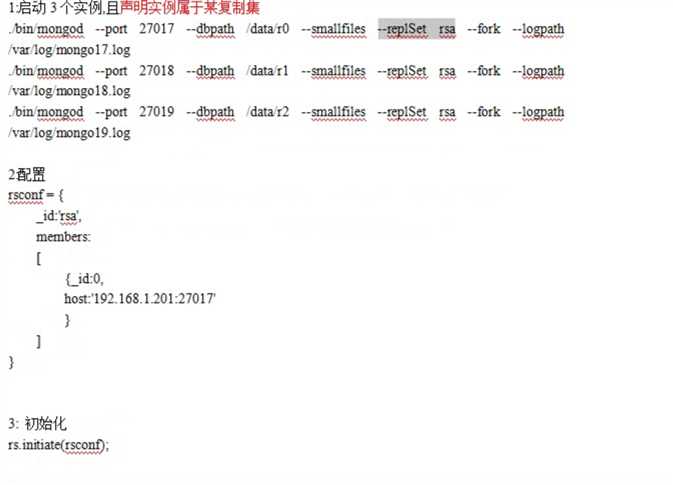
1.创建目录 mkdir -p /data/r1 /data/r2 /data/r3
2.启动: bin/mongod –config ../mongod.conf —replSet r1
bin/mongod –config ../mongod2.conf —replSet r1
bin/mongod –config ../mongod3.conf —replSet r1
查看是否启动成功:ps aux | grep mongo
3.

1.创建目录 mkdir -p /data/r1 /data/r2 /data/r3
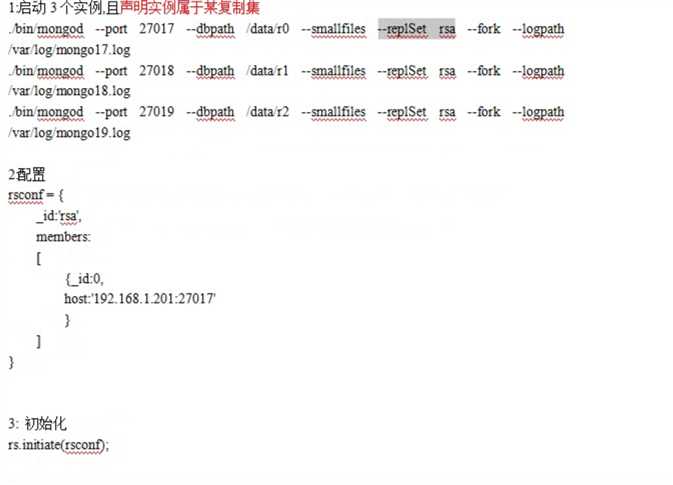
2.启动: bin/mongod –config ../mongod.conf —replSet r1
bin/mongod –config ../mongod2.conf —replSet r1
bin/mongod –config ../mongod3.conf —replSet r1
查看是否启动成功:ps aux | grep mongo
3.