MongoDB 分片

1. 创建Sharding复制集 rs0
# mkdir /data/log # mkdir /data/db1 # nohup mongod --port 27020 --dbpath=/data/db1 --logpath=/data/log/rs0-1.log --logappend --fork --shardsvr --replSet=rs0 & # mkdir /data/db2 # nohup mongod --port 27021 --dbpath=/data/db2 --logpath=/data/log/rs0-2.log --logappend --fork --shardsvr --replSet=rs0 &
1.1 复制集rs0配置
# mongo localhost:27020 > rs.initiate({_id: ‘rs0‘, members: [{_id: 0, host: ‘localhost:27020‘}, {_id: 1, host: ‘localhost:27021‘}]}) > rs.isMaster() #查看主从关系
2. 创建Sharding复制集 rs1
# mkdir /data/db3 # nohup mongod --port 27030 --dbpath=/data/db3 --logpath=/data/log/rs1-1.log --logappend --fork --shardsvr --replSet=rs1 & # mkdir /data/db4 # nohup mongod --port 27031 --dbpath=/data/db4 --logpath=/data/log/rs1-2.log --logappend --fork --shardsvr --replSet=rs1 &
2.1 复制集rs1配置
# mongo localhost:27030 > rs.initiate({_id: ‘rs1‘, members: [{_id: 0, host: ‘localhost:27030‘}, {_id: 1, host: ‘localhost:27031‘}]}) > rs.isMaster() #查看主从关系
3. 创建Config复制集 conf
# mkdir /data/conf1 # nohup mongod --port 27100 --dbpath=/data/conf1 --logpath=/data/log/conf-1.log --logappend --fork --configsvr --replSet=conf & # mkdir /data/conf2 # nohup mongod --port 27101 --dbpath=/data/conf2 --logpath=/data/log/conf-2.log --logappend --fork --configsvr --replSet=conf &
3.1 复制集conf配置
# mongo localhost:27100 > rs.initiate({_id: ‘conf‘, members: [{_id: 0, host: ‘localhost:27100‘}, {_id: 1, host: ‘localhost:27101‘}]}) > rs.isMaster() #查看主从关系
4. 创建Route
# nohup mongos --port 40000 --configdb conf/localhost:27100,localhost:27101 --fork --logpath=/data/log/route.log --logappend &
4.1 设置分片
# mongo localhost:40000 > use admin > db.runCommand({ addshard: ‘rs0/localhost:27020,localhost:27021‘}) > db.runCommand({ addshard: ‘rs1/localhost:27030,localhost:27031‘}) > db.runCommand({ enablesharding: ‘test‘}) > db.runCommand({ shardcollection: ‘test.user‘, key: {name: 1}}) 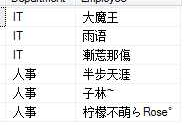
最新文章
-

QQ游戏数据同步方法
2026-10-29 -
QQ游戏防沉迷设置
2026-10-29 -
QQ游戏实名认证方法
2026-10-29 -
QQ游戏消息免打扰
2026-10-29 -
QQ游戏好友邀请技巧,高效凑齐对局搭子的实用思路
2026-10-29 -
QQ游戏战绩查询方法
2026-10-29 -
QQ游戏皮肤更换教程
2026-10-29 -
QQ游戏成就查看方法,多端场景下的清晰操作指引
2026-10-29
热门文章
-

ios微信分享的兼容性问题
2026-07-04 -

微信浏览器中禁止app下载链接的两种处理方法
2026-07-04 -

微信小程序 - 事件绑定bind和catch 区别
2026-07-04 -

7-STM32物联网开发WIFI(ESP8266)+GPRS(Air202)系统方案微信小程序篇(微信配网_申请微信公众号)
2026-07-04 -

从微信中跳到外部浏览器
2026-07-04 -

【php】PHP制作QQ微信支付宝三合一收款码
2026-07-04 -
SQL SERVER 还原误操作导致还原无法停止,处理办法
2026-08-27 -

10-STM32物联网开发WIFI(ESP8266)+GPRS(Air202)系统方案微信小程序篇(微信配网配置_Airkiss步骤_1)
2026-07-04