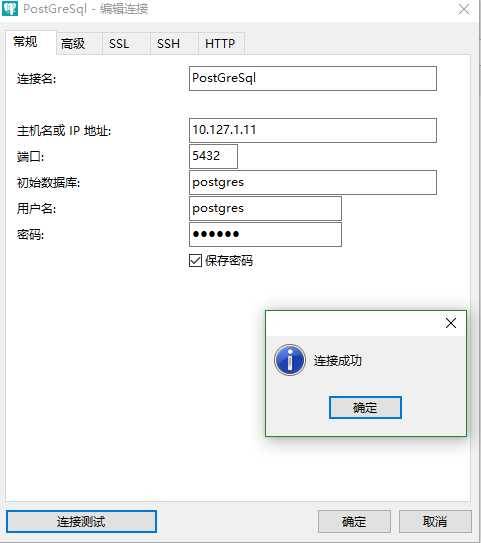

系统环境
Redhat:
????Version: 7.4.1708
Architecture:?x86_64
Address:
????????????10.127.1.11
????????User:
????????????root
????????Uassword:
????????????redhat
Postgresql:
version:?10
platform:?Redhat Enterprise Linux 7
architecture:?x86_64
Address:
????????????10.127.1.11
????????User:
????????????postgres
????????Uassword:
????????????redhat
?
具体安装
- Install the repository RPM:
yum install https://download.postgresql.org/pub/repos/yum/10/redhat/rhel-7-x86_64/pgdg-redhat10-10-2.noarch.rpm
- Install the client packages:
yum install postgresql10
- Optionally install the server packages:
yum install postgresql10-server
- Optionally initialize the database and enable automatic start:
/usr/pgsql-10/bin/postgresql-10-setup initdb
systemctl enable postgresql-10
systemctl start postgresql-10
?
远程连接
- Modify user password
su – postgres?
切换用户,执行后提示符会变为 ‘-bash-4.2$‘
psql -U postgres
登录数据库,执行后提示符变为 ‘postgres=#‘
ALTER USER postgres WITH PASSWORD ‘redhat‘?
设置postgres用户密码为postgres
\q?
退出数据库
- Open remote access
vim /var/lib/pgsql/10/data/postgresql.conf
修改#listen_addresses = ‘localhost‘
为 listen_addresses=‘*‘
当然,此处‘*‘也可以改为任何你想开放的服务器IP
- Trusted remote connection
Vim /var/lib/pgsql/10/data/pg_hba.conf
? ? 修改如下内容,信任指定服务器连接
? ? # IPv4 local connections:
? ? host? ? all? ? ? ? ? ? all? ? ? 127.0.0.1/32? ? ? ident
? ? host all all 0.0.0.0/0 (需要连接的服务器IP)?md5
- Reboot service
systemctl restart postgresql-10
?
?
?
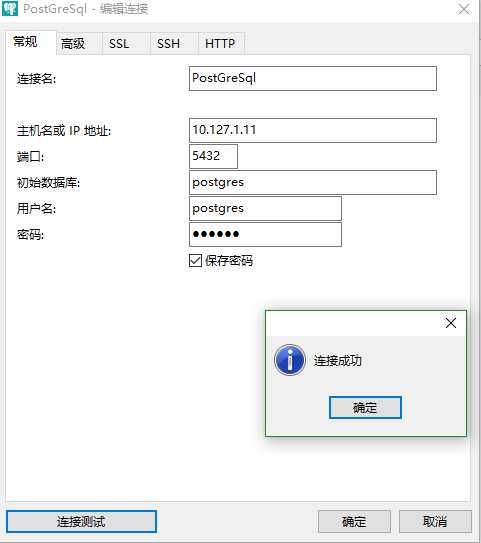
- Test connection
?
参考网子
https://www.postgresql.org/download/